.png)
This feature is only available from Out Of Office Assistant Version 4.4.0 onwards.
Approval Reassignment
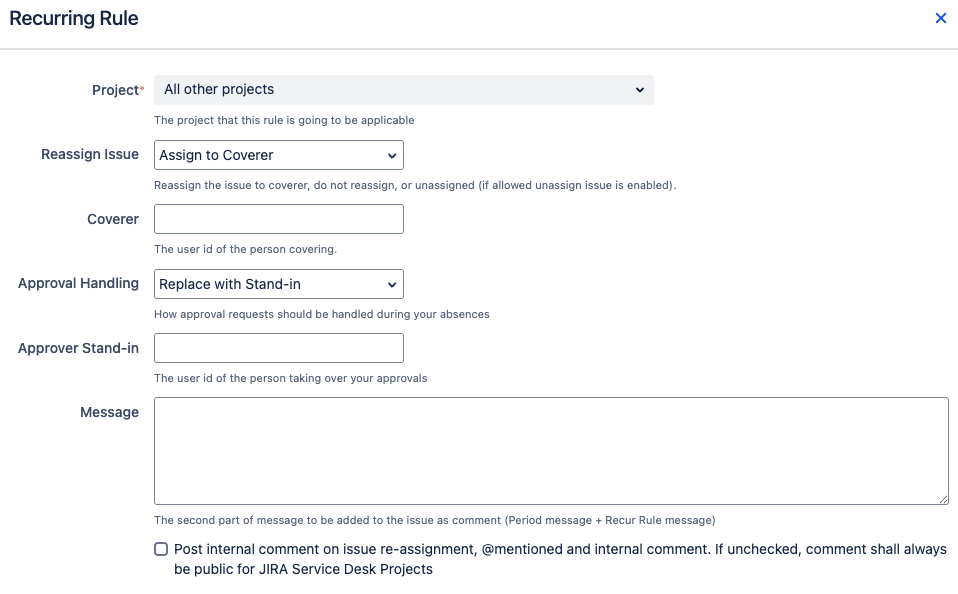
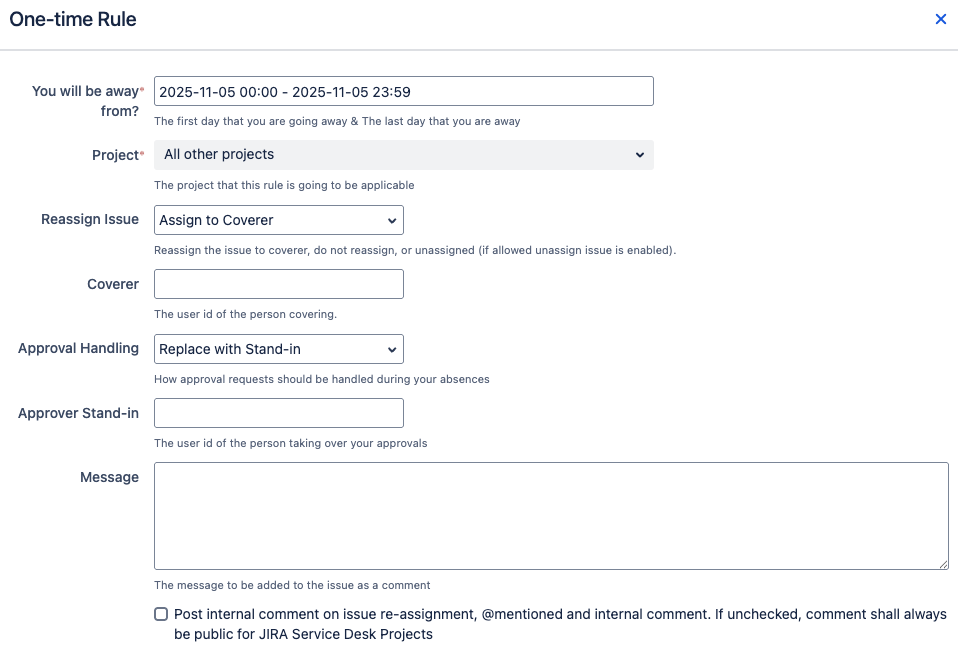
Users can add a Stand-in in their Out Of Office rules. These apply to both recurring and one-time rules. They will only appear for Jira service projects.
By configuring a Stand-in, the selected user will be added or swapped with you in the approvers custom field as specified in your workflow.
Recurring Rule
One-time Rule
|
Term |
Definition |
|---|---|
|
Approval Handling |
How approvals that are pending you should be handled while you are Out Of Office
|
|
Approver Stand-in |
The user who will be taking over any approvals while you are Out Of Office. |
Note that existing rules will not have a stand-in configured. If no stand-in is chosen, no action will be taken.
Things to Take Note
There are a few limitations for approval reassignment:
-
The update of the approvers will occur after a delay of up to 1 minute. As such, you may not see the reassignment occur immediately.
-
Currently, only multi-user picker fields are supported for the approvers custom field.
Useful Info