.png)
As a Jira administrator, you may want to force all Out Of Office comments to be posted internally in service desk projects due to company policy.
To do so, log in as a Jira administrator to perform the following steps:
-
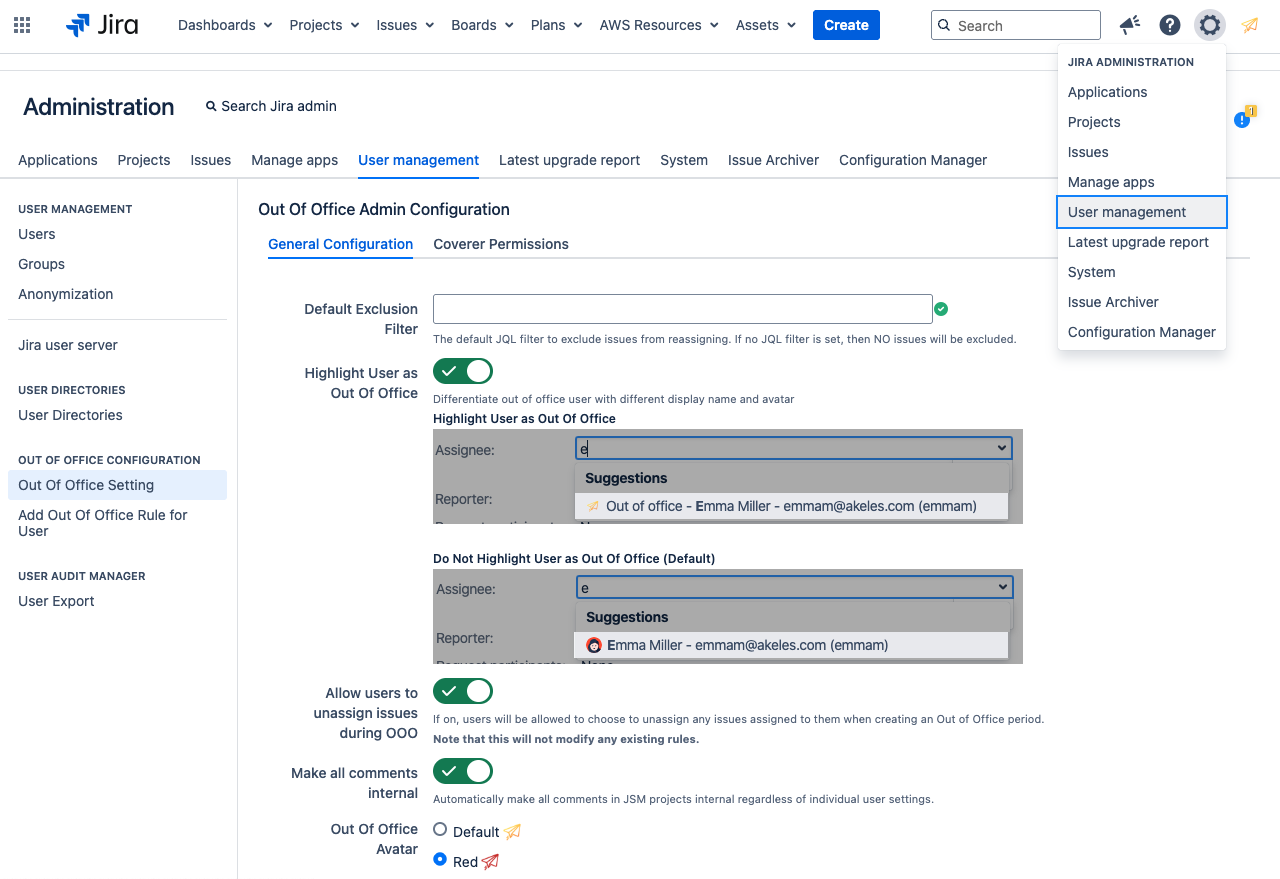
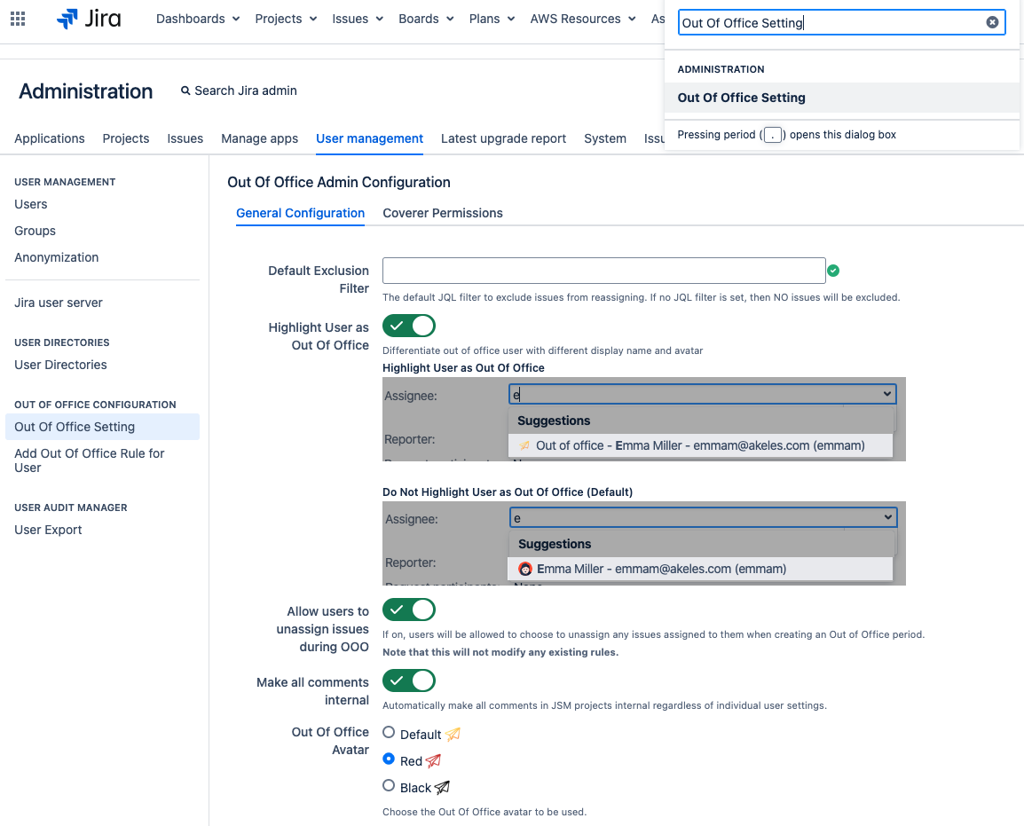
Navigate to Out of Office Setting via either method
|
Navigation Bar |
Administrator > User Management > Out Of Office Setting |
|---|---|
|
|
|
Administration Search Dialog Box |
|
|
|
-
Look for the “Make all comments internal” option.
-
Enable the “Make all comments internal” option.
-
Click on the Update button
When the “Make all comments internal” option is enabled, all Out of Office messages made in Service Desk projects will be posted internally only, regardless of the user settings.