.png)
This feature is available from version 4.7.0 (Jira 10), or version 5.3.0 (Jira 11) onwards
Background
When the JSM Approver is out of office, the app will update the Approvers custom field with the configured Stand-in for the JSM request.
However, the reassignment may not work if the OOO user does not have “EDIT” permission to update the issue.
Solution
You can use the “Update Stand-in for OOO approver using another actor” post function to designate an actor to update the approvers custom field.
Otherwise, Out of Office Assistant will default to using the (Out of Office) approver to perform the update.
This post function should be added to the transitions leading to a destination workflow status which has approvals configured.
Otherwise, it will not have any effects.
The OOO message will still be added as comments written by the OOO user.
Prerequisites
You will need to be a Jira administrator to be able to add post functions to a workflow.
Steps
-
Edit the workflow associated with the project and issue type
-
Edit the workflow transition that you want to enforce the OOO checks
-
Click on the Post Functions tab
.png?cb=c6067ff52e1428ff472842decbe2f9f9)
-
Click on Add post function
-
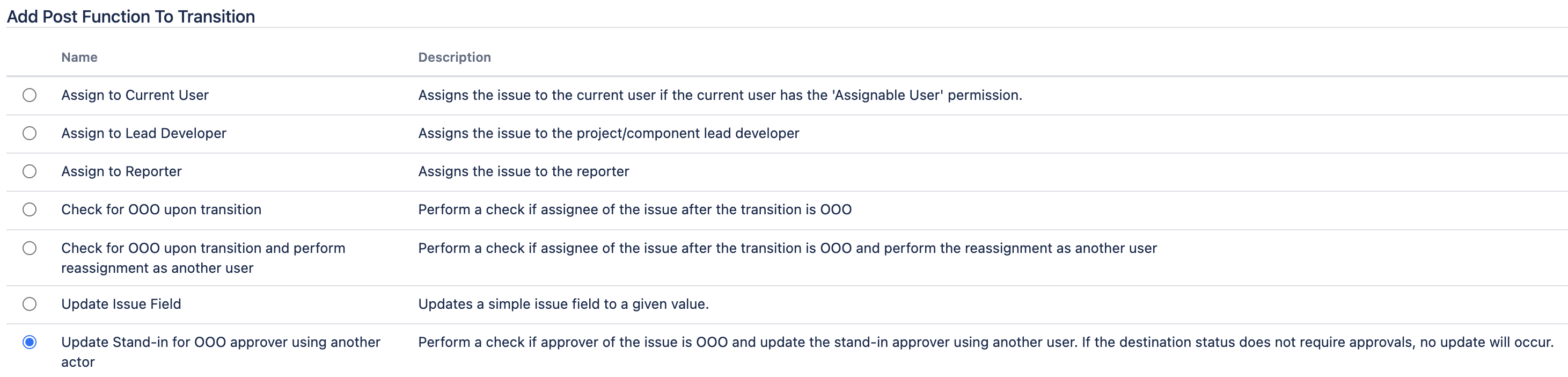
Select the Update Stand-in for OOO approver using another actor post function
-
Select the user who will perform the reassignments on behalf of everyone. Please ensure that the selected user has the Edit Issues permission for all projects using this workflow.

-
Click the Add button to save the change
-
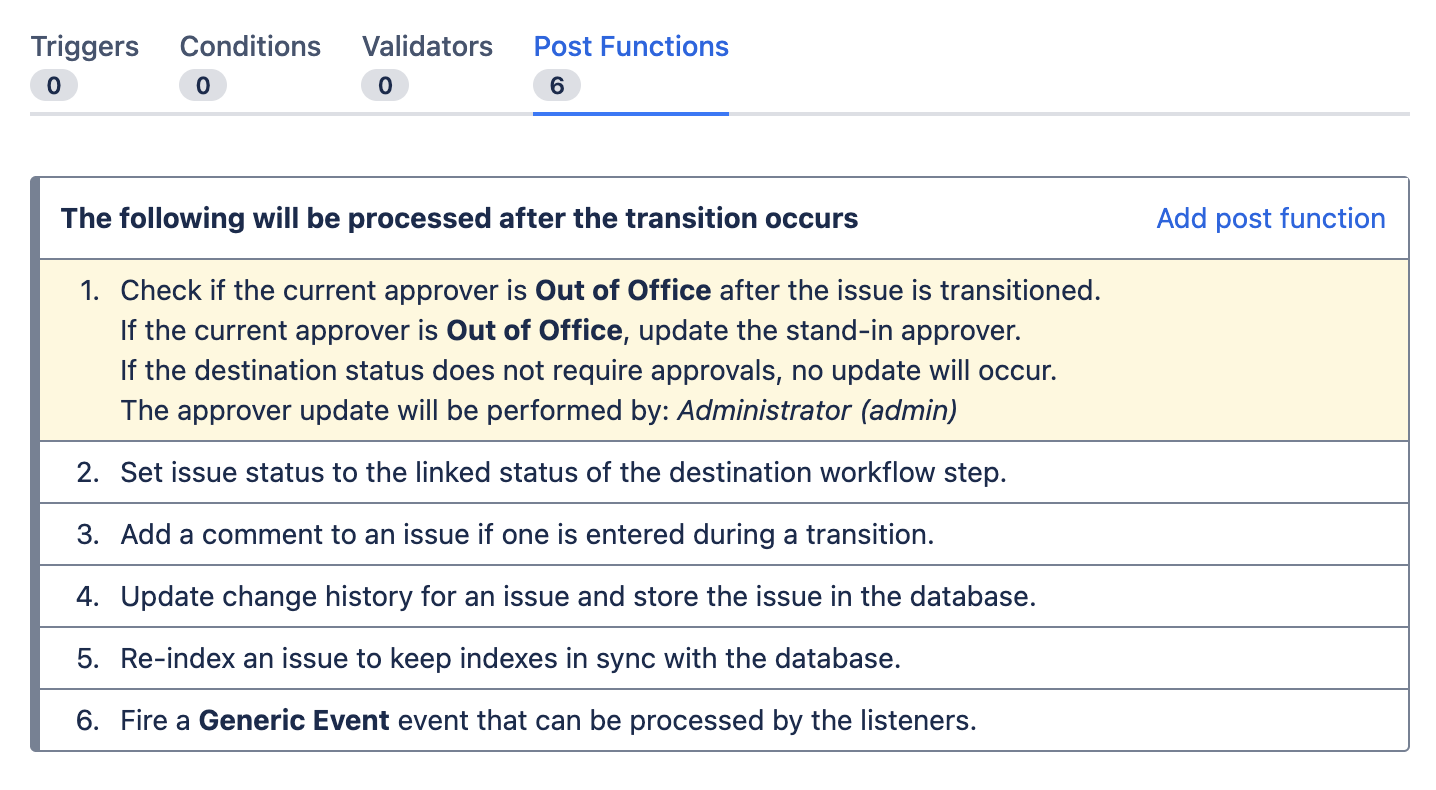
The new post function will be added to the workflow transition
-
Publish the workflow