.png)
This feature is available from version 4.6.0 (Jira 10), or version 5.2.0 (Jira 11) onwards
Background
Jira projects may be designed such that only certain privileged users may perform the reassignment of issues to other users.
This means that the Post Function to check the existing assignee is out of office will fail if the current (Out of Office) assignee of the issue does not have the “Assign Issues” permission for that project.
Solution
It is possible to add a new post function “Check for OOO upon transition and perform reassignment as another user” to run OOO checks on the existing assignee, and then perform any reassignment due to OOO as the selected user.
The post function will check if the current assignee is Out of Office after the issue is transitioned.
If the current assignee is Out of Office, apply the relevant Out of Office rule. The reassignment will be performed by the user selected in the post function configuration.
Warning!
This post function will perform the reassignment as the configured user, allowing users with no Assign Issues permission to bypass this permission check. This will also not respect the settings in Adding Permission Checks when Selecting a Coverer, as it only restricts the selection of coverer during the creation of the Out of Office rule.
Prerequisites
You will need to be a Jira administrator to be able to add post functions to a workflow.
Steps
-
Edit the workflow associated with the project and issue type
-
Edit the workflow transition that you want to enforce the OOO checks
-
Click on the Post Functions tab
.png?cb=c6067ff52e1428ff472842decbe2f9f9)
-
Click on Add post function
-
Select the Check for OOO upon transition and perform reassignment as another user post function
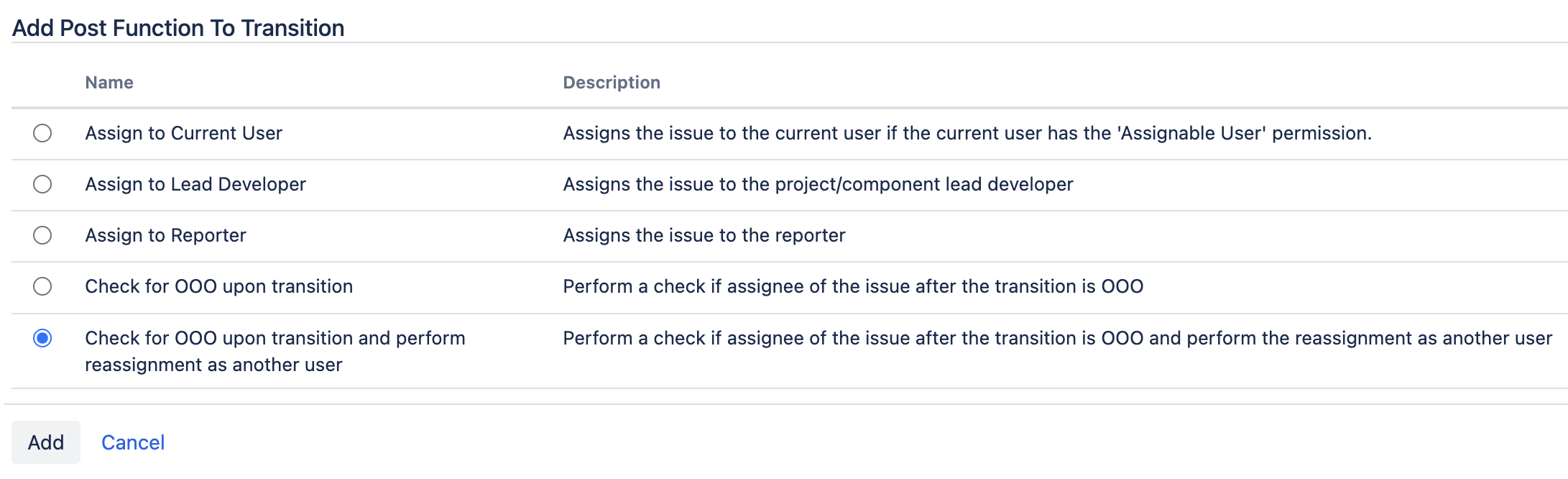
-
Select the user who will perform the reassignments on behalf of everyone. Please ensure that the selected user has the Assign Issues permission for all projects using this workflow.

-
Click the Add button to save the change
-
The new post function will be added to the workflow transition
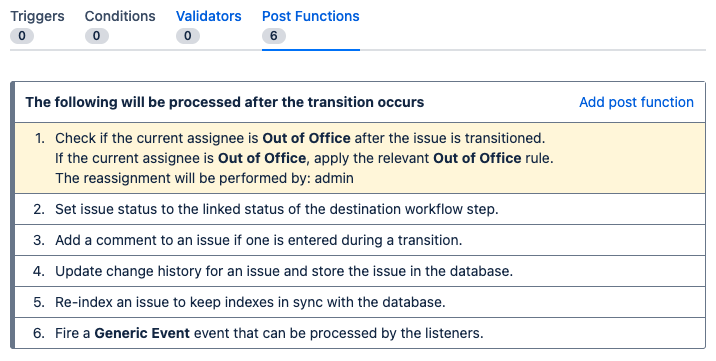
-
Publish the workflow
-
Now, whenever any issue associated with the workflow go through the selected transition, Out Of Office Assistant will perform a check for the final assignee of the issue and execute any rules that belong to that user if they are OOO, while performing the reassignment with the configured user.