.png)
This feature is available from version 6.4.0 (Jira 10) / version 7.1.0 (Jira 11) onwards
Global Policies are a new feature added in version 6.4.0 (Jira 10) / version 7.1.0 (Jira 11).
Policies that were categorised as Global Policies in previous versions have been renamed to Shared Policies from version 6.4.0 (Jira 10) / version 7.1.0 (Jira 11) onwards.
Please refer to the release notes (Jira 10 / Jira 11) for more info.
Background
A global policy is a new type of policy which will run on all projects in Jira.
These are useful when a site-wide rule has to be enforced on all projects without having to repeat the same rule on all policies.
Key Differences
A global policy generally behaves in the same way as a shared policy when marking attachments. The main differences lie in how they are associated with projects.
|
Shared Policy renamed from global policy |
Project Policy |
Global Policy NEW |
|---|---|---|
|
Can be associated to any project |
Can only be associated to the project it belongs to |
Cannot be associated to any project. Instead, it will execute on all projects when it runs |
|
Can be set as the default policy |
Cannot be set as the default policy |
Cannot be set as the default policy |
|
Project admins are able to view shared policies |
Project admins are able to view the project policy belonging to the project, if any |
Project admins are unable to view global policy rules |
|
Project admins can opt out from associated shared policies by swapping to a project policy / excluding their project |
- |
Project admins are unable to opt out from any global policies set up by Jira admins |
Creating a Global Policy
Only a Jira admin can create a global policy. Note that it is not possible to change a global policy into a shared policy and vice versa.
-
Follow the steps as listed in Managing Attachment Housekeeper Policies | Creating a Policy
-
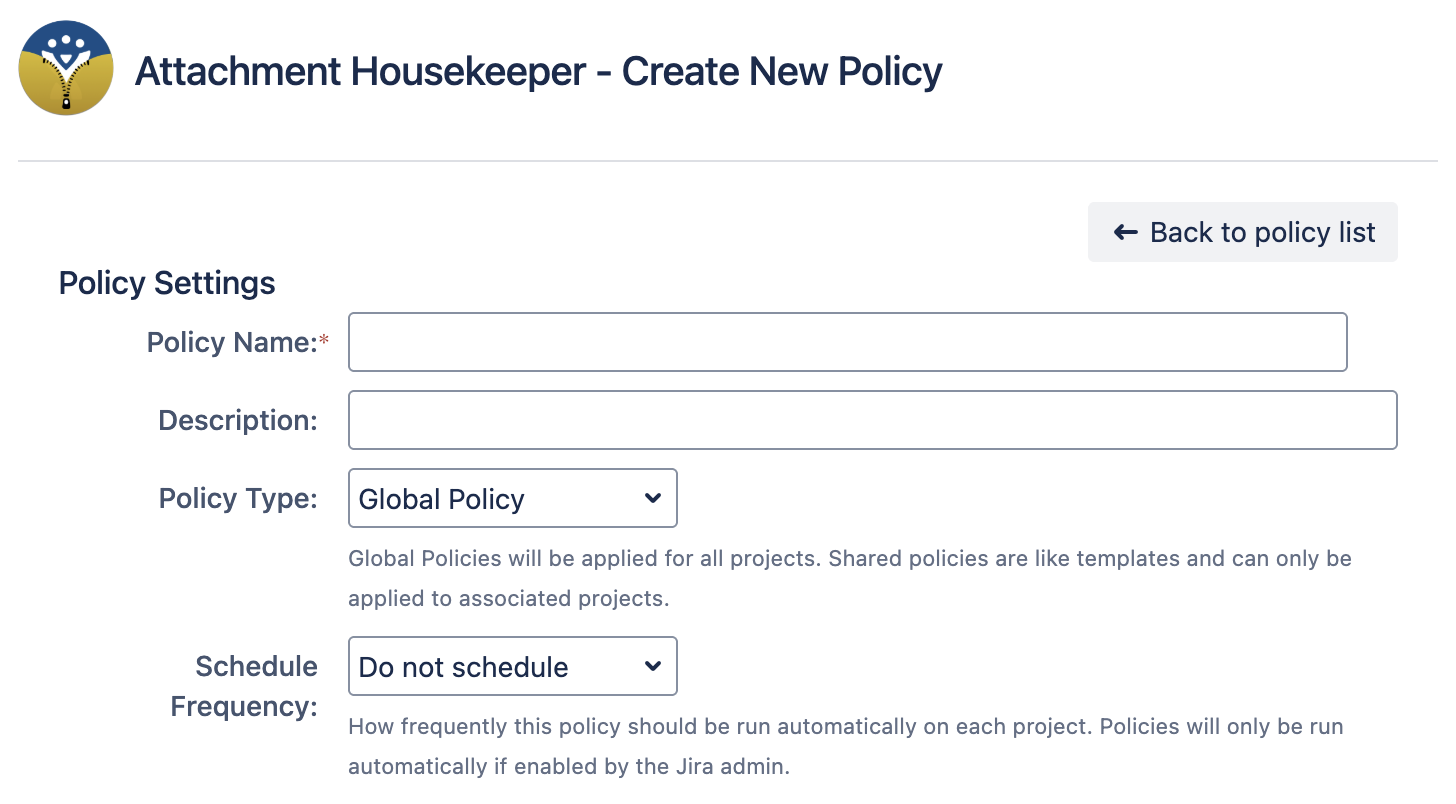
The only additional step is to select “Global Policy” under Policy Type to create a global policy
Things To Note
-
Only use Global Policies if you are sure that the rules need to be enforced on all projects.
-
For example, one such policy could be a company-wide policy which requires all attachments in issues older than 5 years to be removed.
-
-
Since global policies will run on all projects, this may cause higher server loads when they are running
-
As such, it is best to limit the following:
-
The number of global policies in your instance
-
Stagger the schedules of each policy to avoid having all of them run in the same off-peak period if you have to have multiple global policies
-
-
The number of issues queried by the JQL in each global policy rule
-
If you do not set a JQL, the global policy will run on all issues in all projects
-
-
-