.png)
Introduction
The Issue Archiver plugin allows Jira admins to select issues for archives/snapshots in HTML format together with their attachments.
Archives are snapshots which the issues are deleted after the archiving process. The process is irreversible and archived issues cannot be restored.
Possible Use Cases
-
Archives (Cannot be restored)
-
For final backup before deletion of issues
-
To archive old issues (JRASERVER-13129) or unwanted projects (JRASERVER-4404)
-
To improve the performance of Jira (JRASERVER-5843)
-
-
Snapshots (Does not delete issues)
-
For sharing the issues with non Jira users
-
For offline reference when Jira cannot be accessed
-
For audits
-
For baseline records
-
For regulatory requirements
-
Reclaim the disk space (you can use a snapshot to generate the zip of all attachments of selected issues and then delete the attachments)
-
Key Features
Archive creation
-
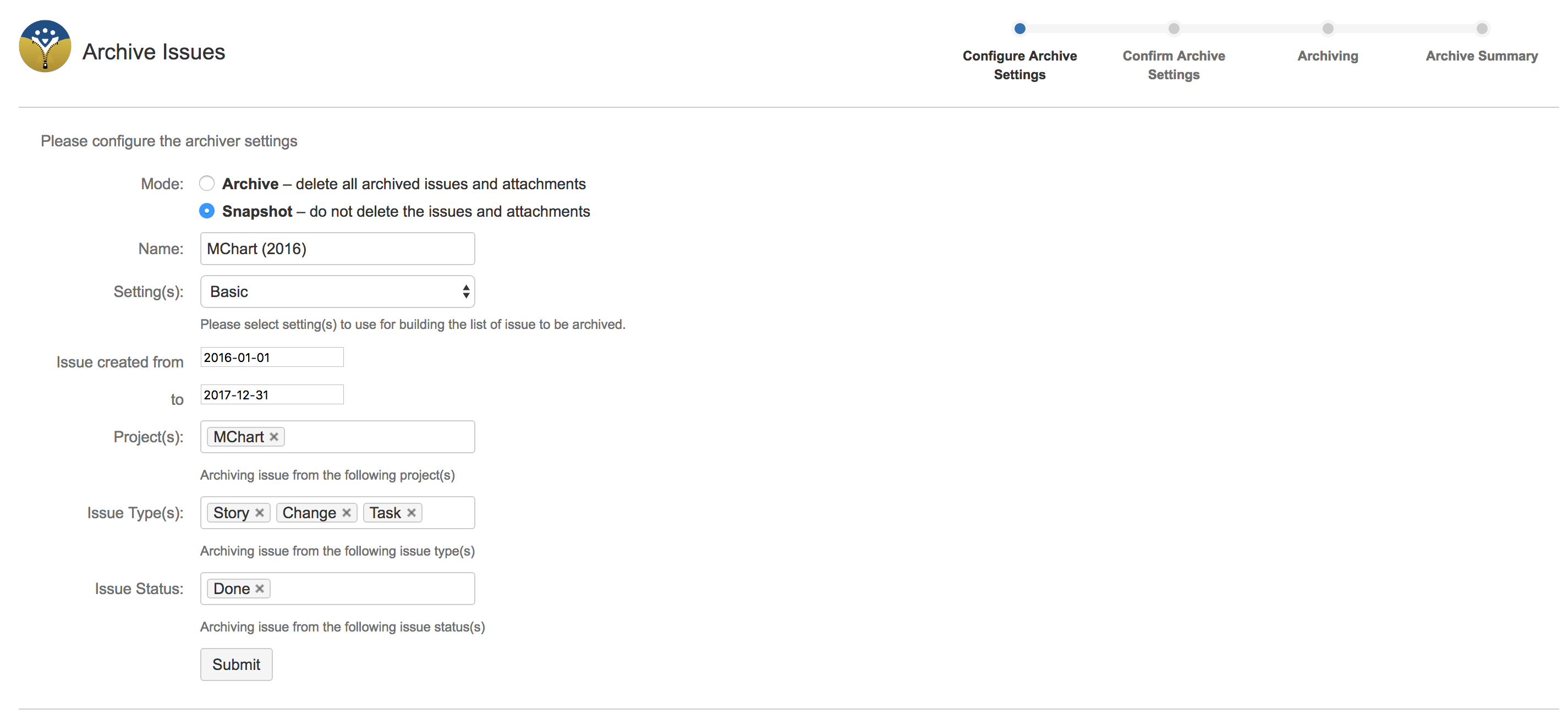
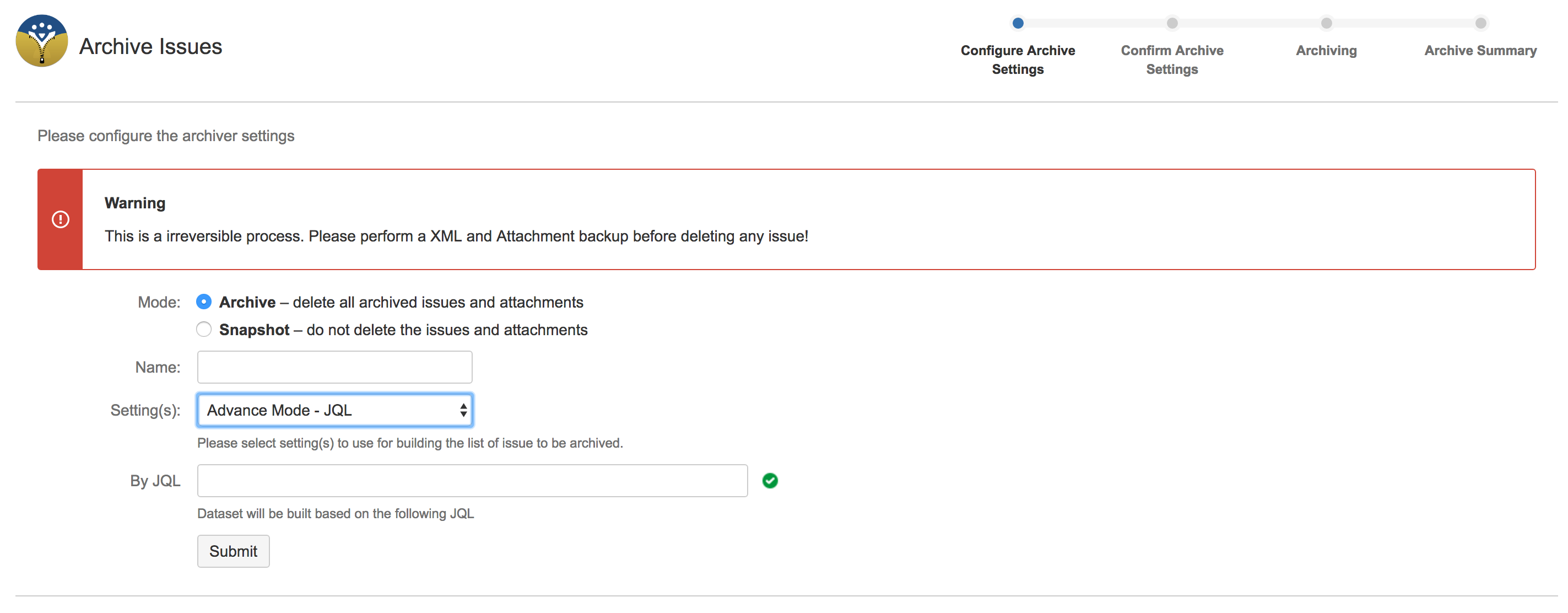
Flexible ways to select the issues for archives/snapshots with 2 setting
-
Basic: using simple and configurable archive settings
-
Advanced: using JQL to archive issues
-
-
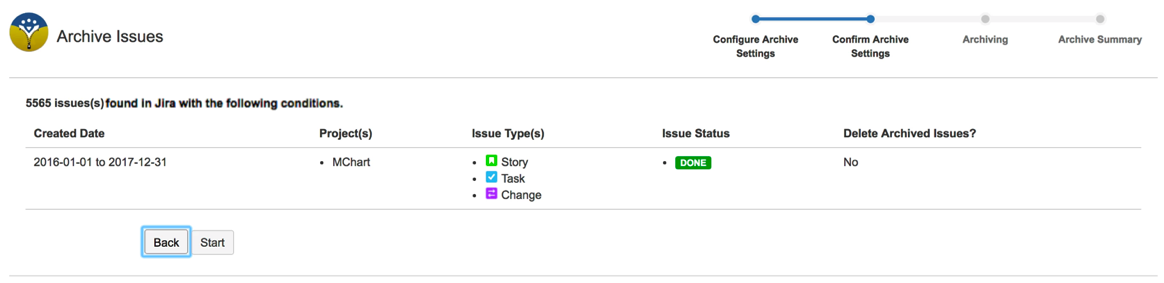
Shows you the number of issues selected with the selection criteria
-
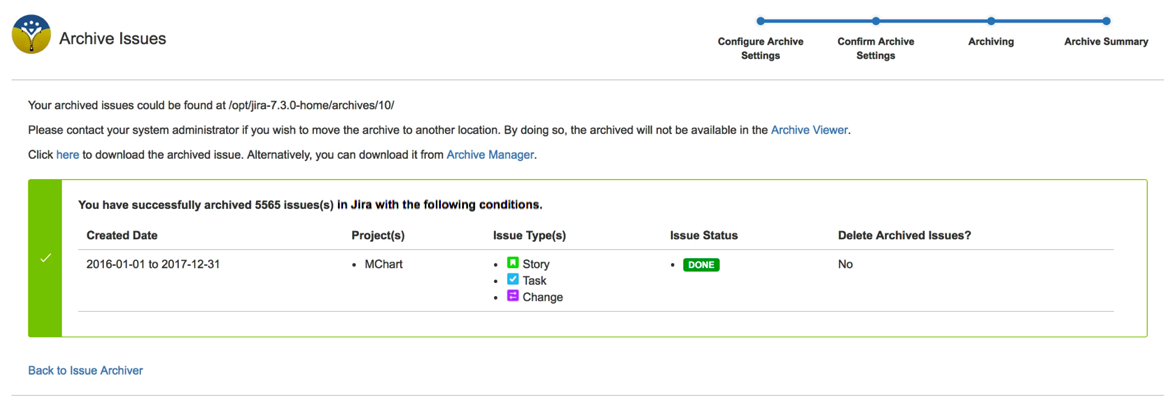
Indicator bar to show you the progress

-
No limit on issue counts per snapshot & does not require huge memory
Archive administration
-
Jira admins can:
-
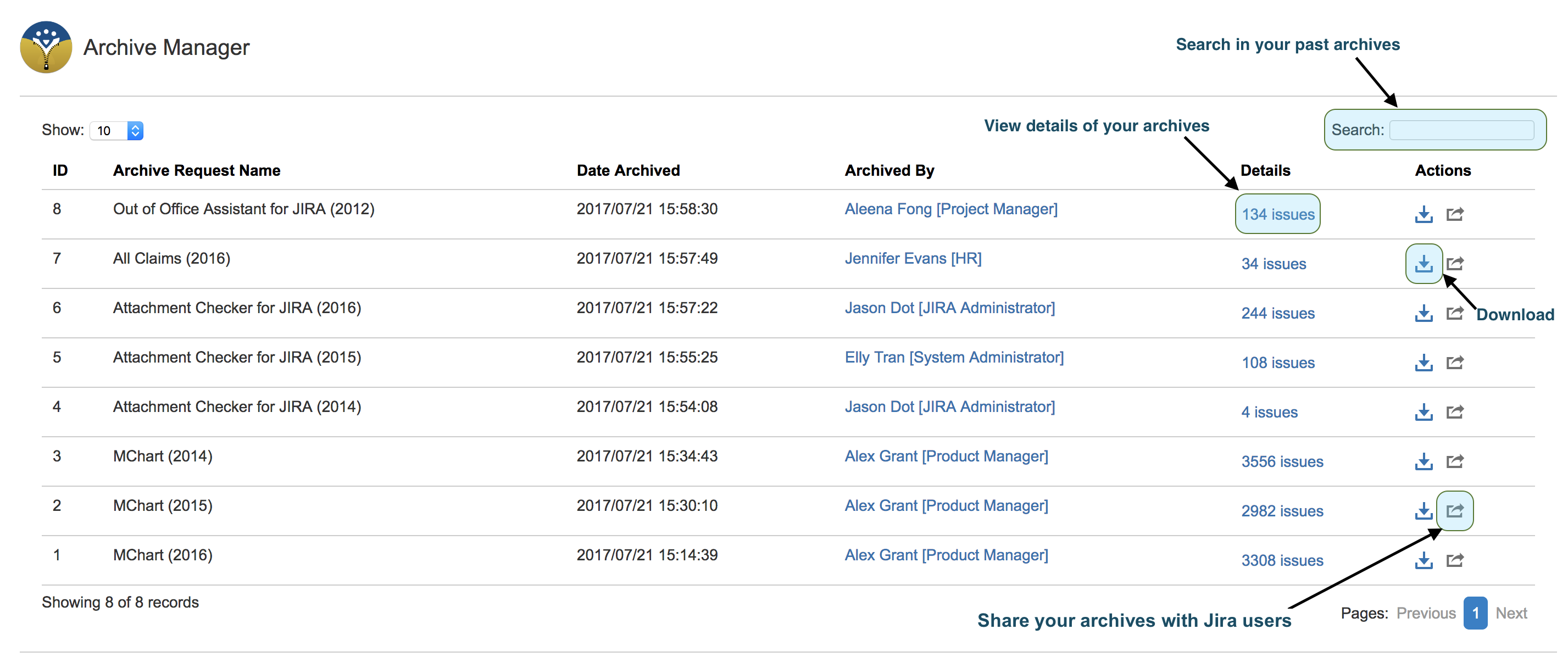
view the archives/snapshots
-
define access control to authorised users to view selected archived issues/snapshot
-
download them for sharing to other users
-
Archive viewing
-
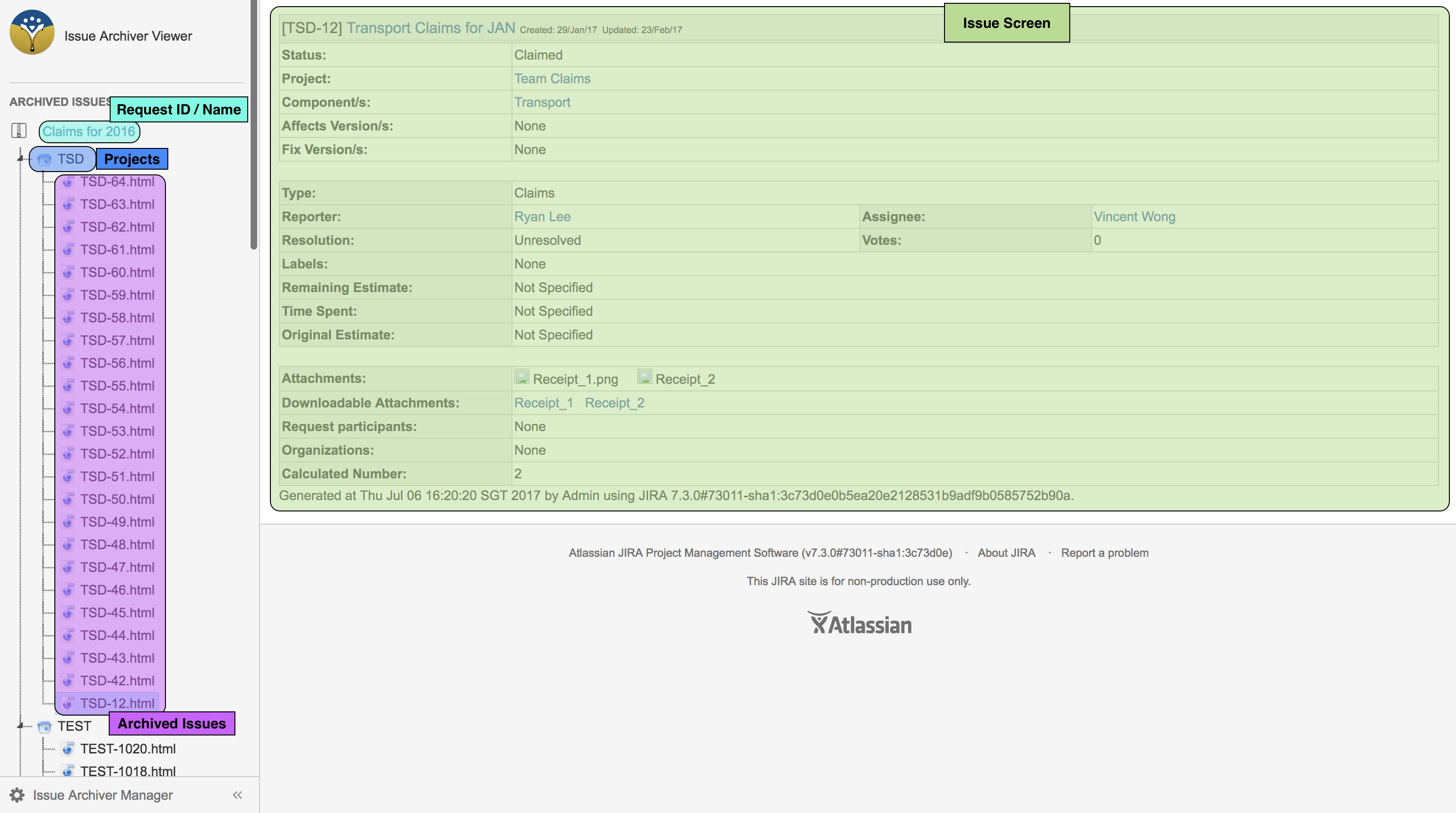
Online viewer for permitted users to viewing within Jira
Archive sharing
-
The attachments are renamed back to their original filenames instead of attachment ID
-
The issues and attachments are properly organised in folder structure based on project key
User Guides
-
Installation Guide -
Release Notes for Issue Archiver for Jira 3.1.0/4.1.0 -
Release Notes for Issue Archiver for Jira 3.1.1/4.1.1 -
Release Notes for Issue Archiver for Jira 3.1.2/4.1.2 -
Release Notes for 4.2.0 -
Release Notes for 4.2.1 -
Release Notes for 4.3.0 -
Release Notes for 4.3.1 -
Release Notes for 5.0.0 -
Release Notes for 5.0.1 -
Release Notes for 6.0.0 -
Release Notes for 6.1.0 -
Release Notes for 6.2.0 -
Release Notes for 6.3.0 -
Release Notes for 7.0.0 -
Release Notes for 6.4.0 -
Release Notes for 7.1.0 -
Differences between Jira DC issue archiving and Issue Archiver -
Useful JQLs for selecting issues for housekeeping -
Attachments Housekeeping Policy Template -
Why do people housekeep attachments on Jira? -
How to Classify Different Types of File Attachments in Jira -
What type of Jira attachments can be deleted from issues? -
How many disk space does a Jira attachment use actually -
Before You Archive Jira Projects: What Breaks, What Changes, and How to Prepare -
Data Minimisation: Essential Principle in Privacy and Security Frameworks -
Effective Attachment Management in Enterprise Jira -
Product Brochure