.png)
There are some special settings available to Jira Admins for the Attachment Housekeeper.
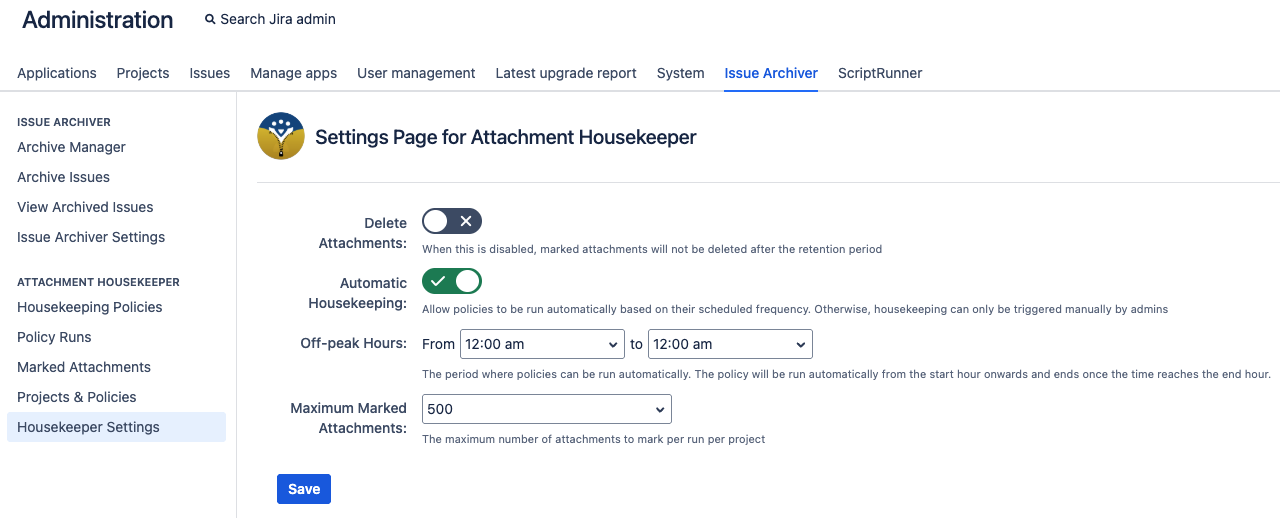
Available Settings
|
Setting |
Description |
Default Value |
|---|---|---|
|
Delete Attachments |
Enable / disable the permanent deletion of marked attachments that are past their retention period.
In the case an attachment is kept past their Retained Until date while this is off, they will be shown as “To be deleted”. It is still possible to unmark these attachments while they are in this status. 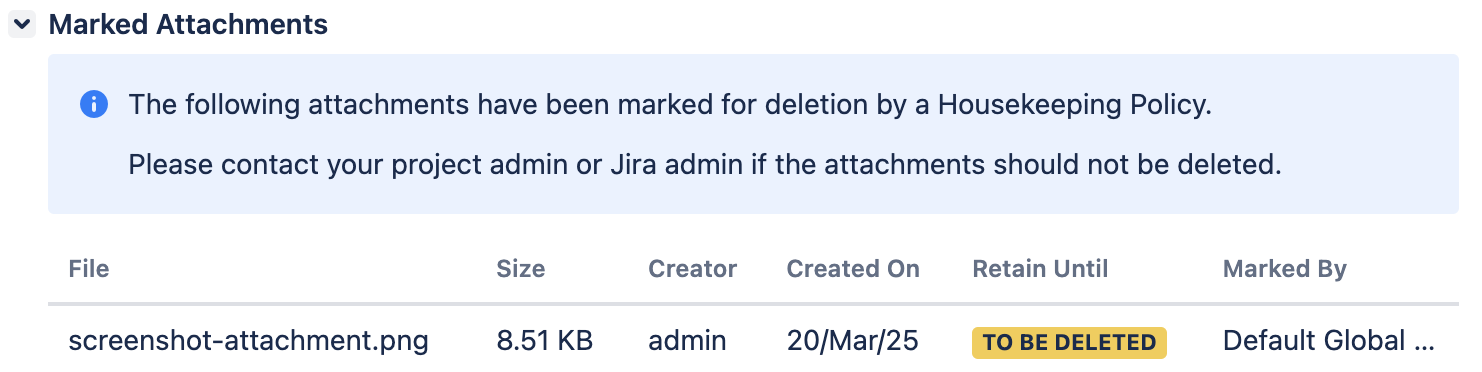
|
Off |
|
Automatic Housekeeping |
Enable / disable the ability to have housekeeping policies be scheduled and run automatically. |
Off |
|
Off-peak Hours |
The time where policies are allowed to start running automatically. It is recommended to set this period to be a time where Jira is not used as much in order to keep processing load low. This option is only visible if Automatic Housekeeping is enabled. |
From: 12am To: 12am |
|
Maximum marked attachments |
The maximum number of marked attachments that can be marked in a single Jira project per policy run. This cap can be helpful in case the JQL is wrongly scoped. We recommend starting with the default value of 500 for the users to familiarise with the process and limit the review workload. If using an evaluation license, this value is fixed to 50. Additionally, the housekeeper will only mark up to a maximum of 500 attachments. |
500 |
How to Access
-
Login as a Jira administrator
-
Go to Administrator > Issue Archiver
-
Go to the Housekeeper Settings page