.png)
This feature is only available for policy runs performed after updating to 6.4.0
Background
Attachments that are permanently deleted by Attachment Housekeeper after exceeding their Retain Until date are now tracked in the Deletion Report.
This allows Jira admins to view a list of attachments that were deleted by a specific policy run on a specified project.
The Deletion Report only contains basic metadata about the deleted attachments. It is not possible to recover the attachments once deleted.
Accessing the Deletion Report
The report is only accessible once some attachments have been deleted by the Attachment Housekeeper.
From the Policy Runs page, you can find the Deletion Report button under the Actions column. It is only available when there are deleted attachments under a policy run.

Viewing the Deletion Report
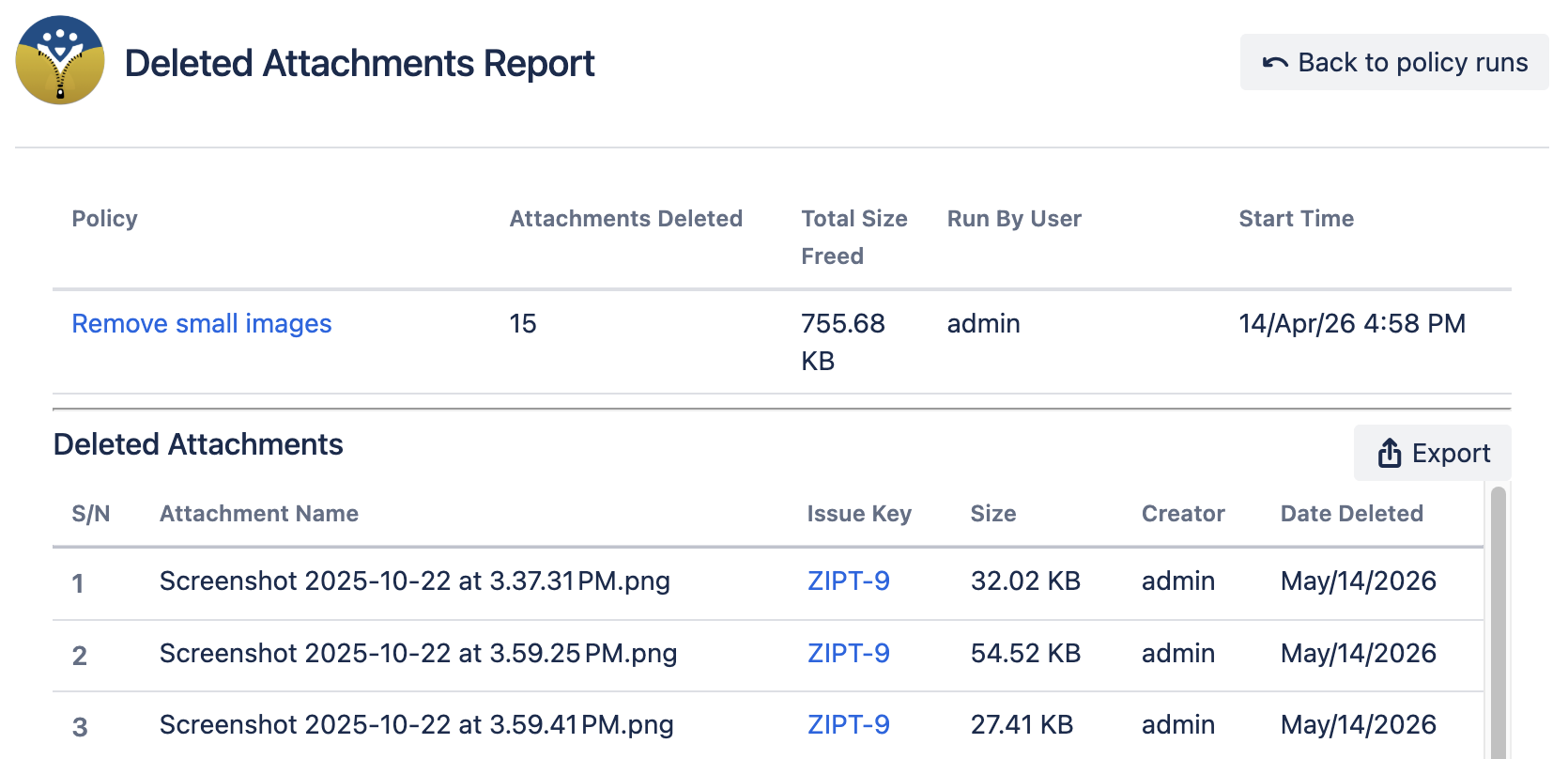
The report shows:
-
The policy that was run
-
The number of attachments that were marked by the policy and have been deleted
-
The total size freed from deleting the attachments
-
The user who started the policy run
-
When the policy was run
-
-
The deleted attachments
-
The name of the deleted attachment
-
Which issue it belonged to
-
The size of the issue
-
The creator of the attachment
-
The date the attachment was deleted from Jira
-
Exporting the Deletion Report
You can click on the “Export Deletion Report” button to download a CSV version of the report.
It contains the same information found in the Deleted Attachments table.