.png)
This feature is only available from version 4.10.0 (Jira 10), or version 5.6.0 (Jira 11) onwards.
Background
In most cases, there is usually 1 coverer for a person in a project. However for some projects, the responsibilities may be redistributed to multiple people during the absence.
For example:
|
Criteria # |
Coverer |
|---|---|
|
1 |
User X |
|
2 |
User Y |
|
3 |
User Z |
Solution
To support this type of advanced reassignment, we added a new mode on how to Reassign Issue for the Recurring Rule.
The “Assign based on JQL” option allows grouping of issues within a project to different coverers via Sub-Rules.
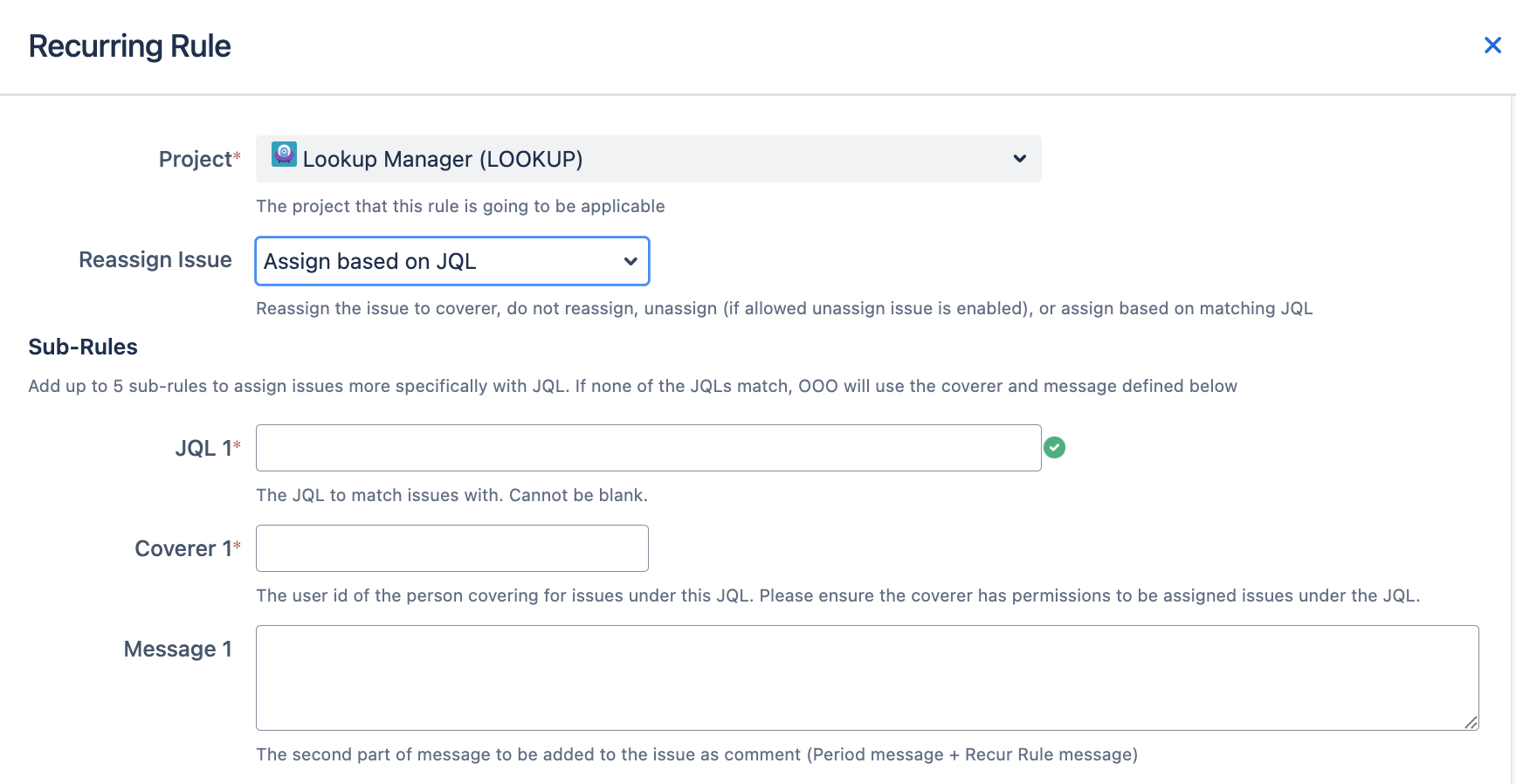
Components of a Sub-Rule
When the “Assign based on JQL” mode is selected, it is possible to add up to 5 Sub-Rules.
Each Sub-Rule contains similar settings for the Recurring Rules.
|
Field |
Description |
|---|---|
|
JQL Required |
The JQL query which is used to check if the triggering issue matches this Sub-Rule |
|
Coverer Required |
The user to reassign this issue if the JQL matches You can only select users who have assignable permissions to the project. In event if the selected coverer cannot be set as the assignee, Out of Office Assistant will use the coverer specified in the fallback rule. |
|
Message Optional |
The optional message to append to the Out Of Office Period’s message |
Priorities of Sub-Rules
The Sub-Rules are checked in the order they are shown from top to bottom.
The processing will stop once a Sub-Rule matches with the triggering issue.
Place the more specific Sub-Rules first.
Fallback Rule
In event if the triggering issue does not match all the JQL criteria specified in all the Sub-Rules, Out of Office Assistant will use the last Coverer and Message to perform the reassignment.
An Example
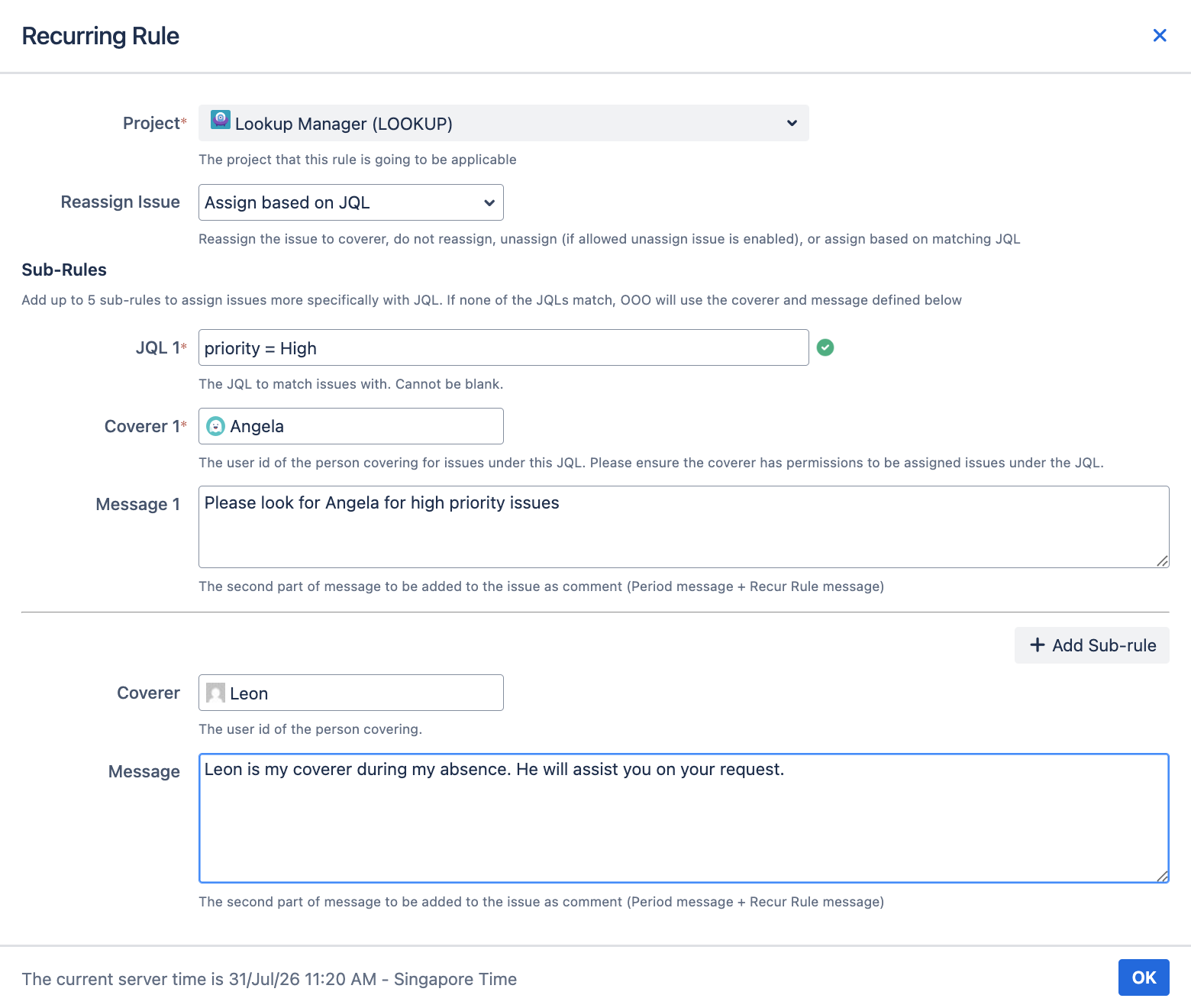
When the assignee in the Lookup Manager project is OOO, and the Recurring Rule is triggered with the Assign based on JQL,
-
Out of Office Assistant will execute each of the sub-rules from top to bttom
-
If the triggering issue matches the criteria specified by the 1st JQL, it will
-
perform the reassignment to specified Coverer
-
add the corresponding message to the OOO comment
-
end the processing
-
-
If all the Sub-Rules does not match, it will perform the reassignment using the Fallback Rule.
Do note that One-time Rule has a higher priority than Recurring Rules.