.png)
The Out of Office Assistant for Jira Cloud helps to reassign issues to the person covering you automatically or notify the reporter during the period you are away.
-
It will help to prevent untended issues and improve response time by reassigning it automatically based on rules for different projects.
-
It will help to improve customer service satisfaction with a comment to let them know more time is required.
-
It can be used as an automatic acknowledgement for Jira Service Desk too.
-
It will let you enjoy your holidays with a peace of mind.
With these features, you can use Jira as your task management system.
|
Leave a message |
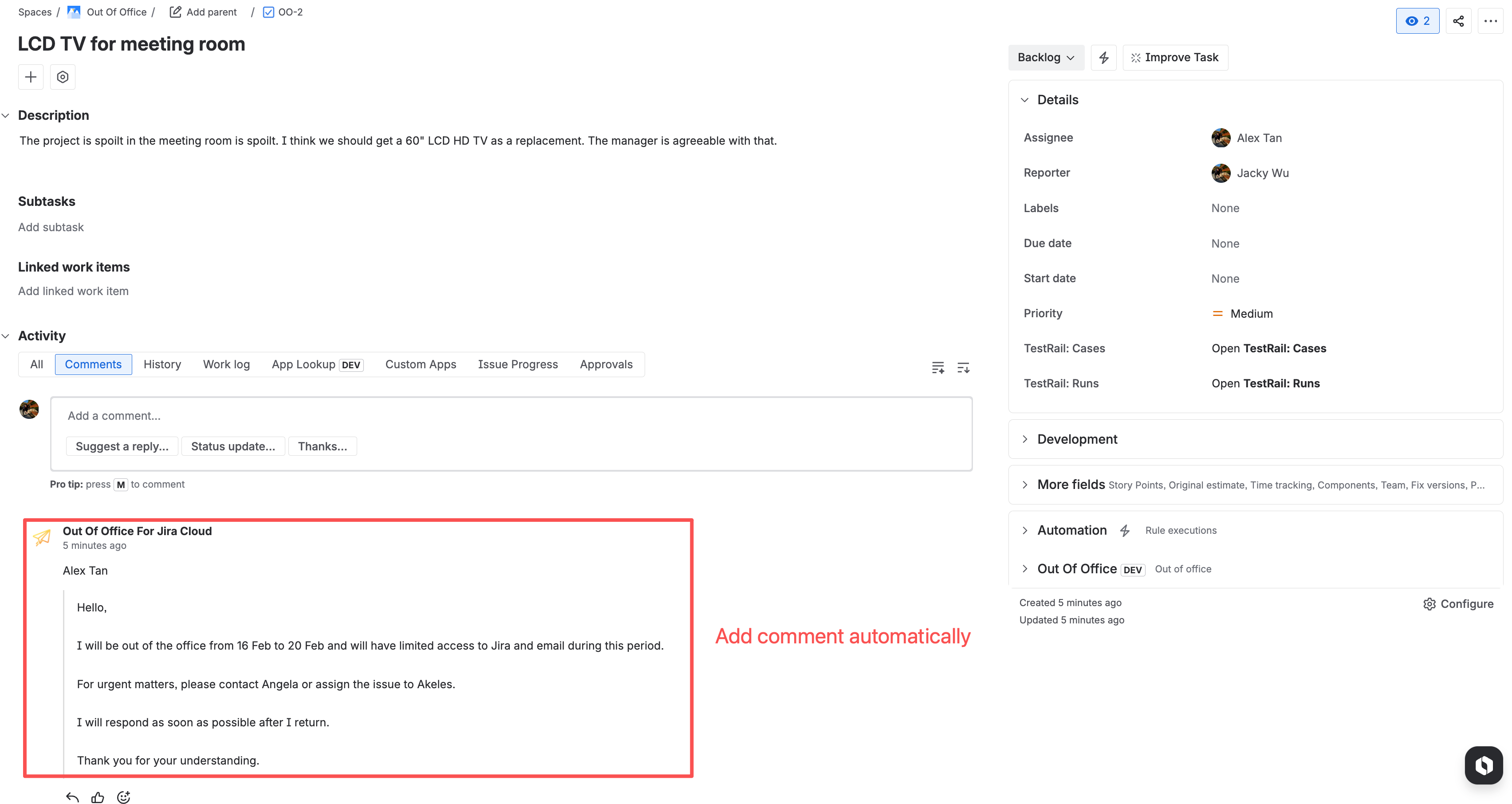
|
|---|---|
|
Reassign to coverer |
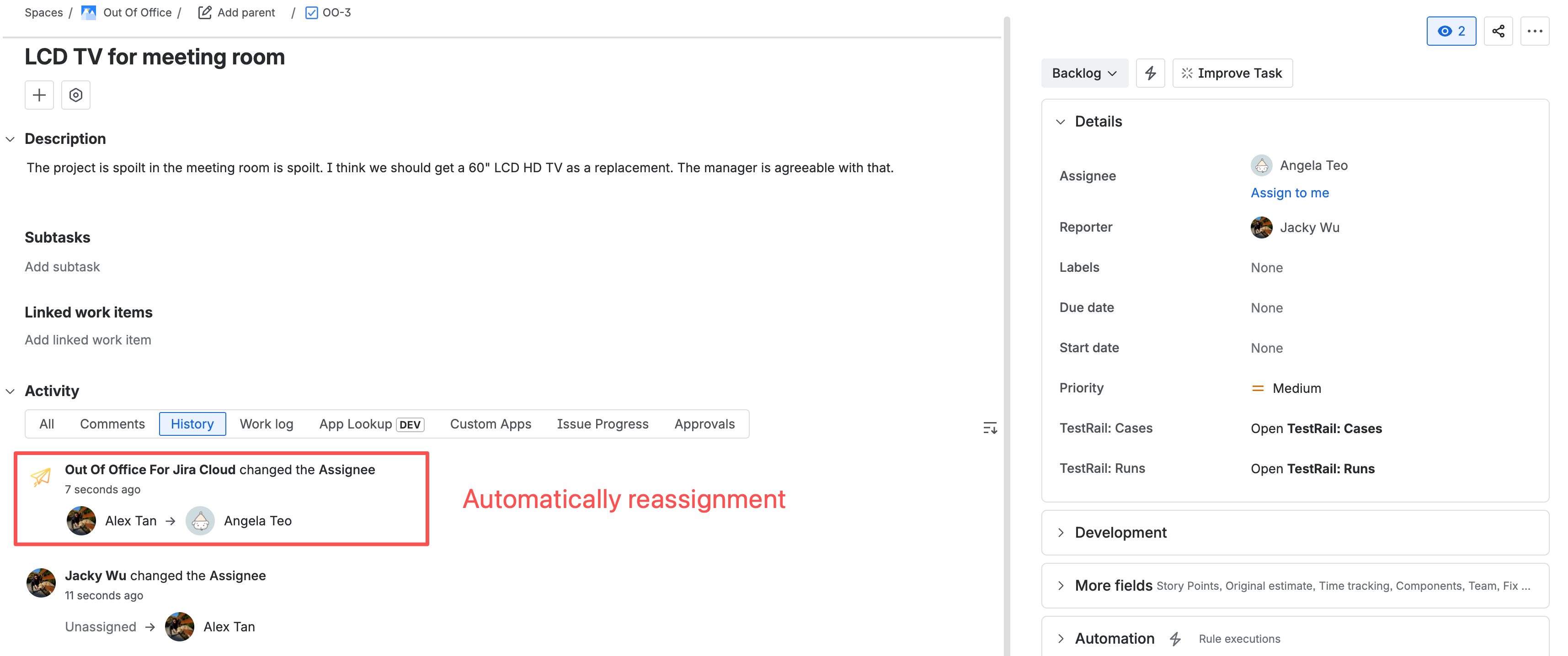
|
|
Share OOO Details in Issue View |
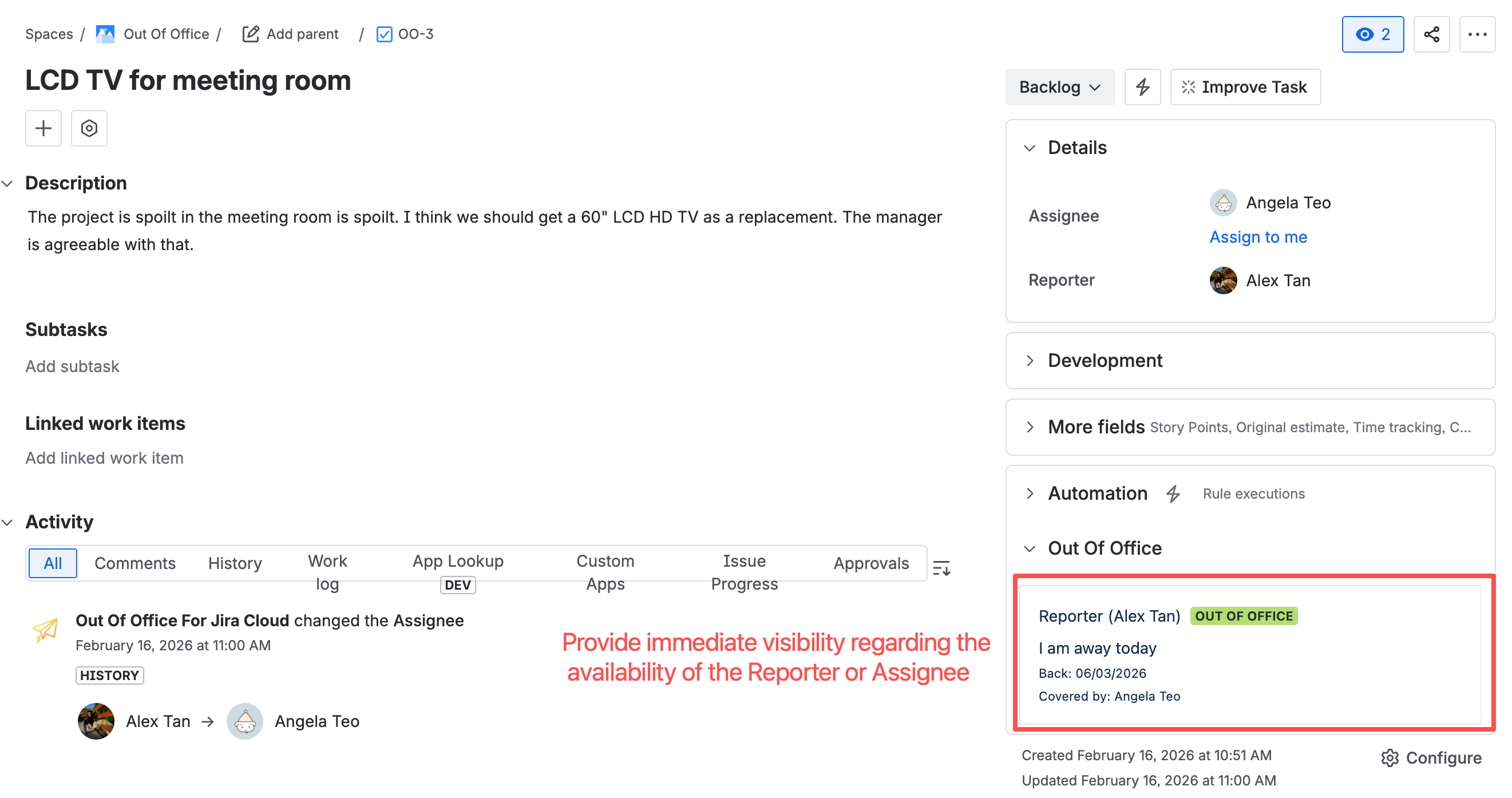
|
How it works
The following flowchart illustrate the logic flow when an issue is newly assigned to a user
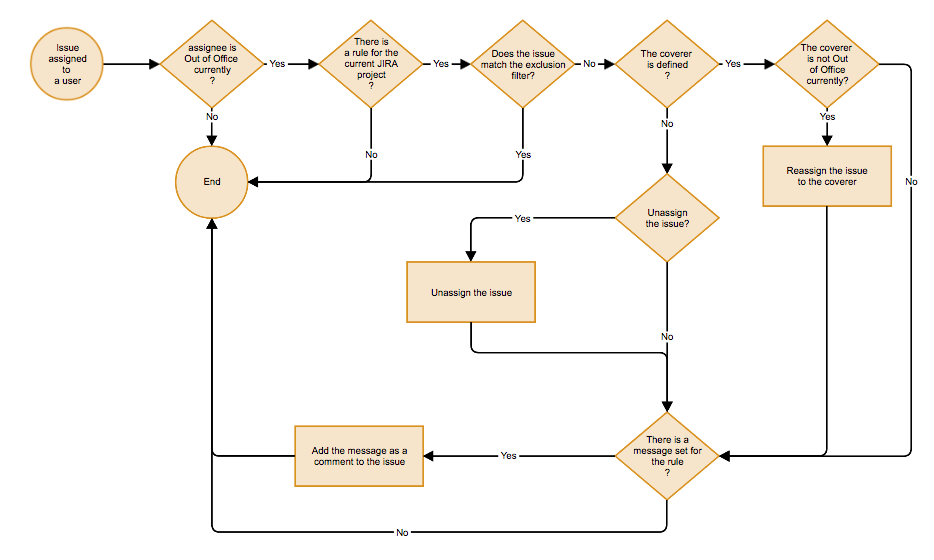
-
When an issue is newly assigned to a person, the Out-of-Office Assistant will check whether the assignee is Out of Office
-
If a rule has been specified for the Jira project, it will check whether the covering personnel is specified
-
If the covering personnel is specified or is not out of office, the issue will be reassigned to the covering personnel
-
If there is a message added in the rule, the Out-of-Office Assistant will also post the message as a comment to inform others too
The Out-of-Office Assistant will also check when @Mentioned feature in comment and description of issue
-
If the user mentioned is currently out of office and wish to trigger an out of office reply into issue comment, it will post the Out of Office message configured as a comment