.png)
Overview
The Multiple Filters Counter Gadget provides up to 12 counter boards which can be used to keep track of values from filters of concern.
From a glance, users will be able to know the statuses of issues. They can also quickly navigate to the relevant filter by clicking on the counter board.
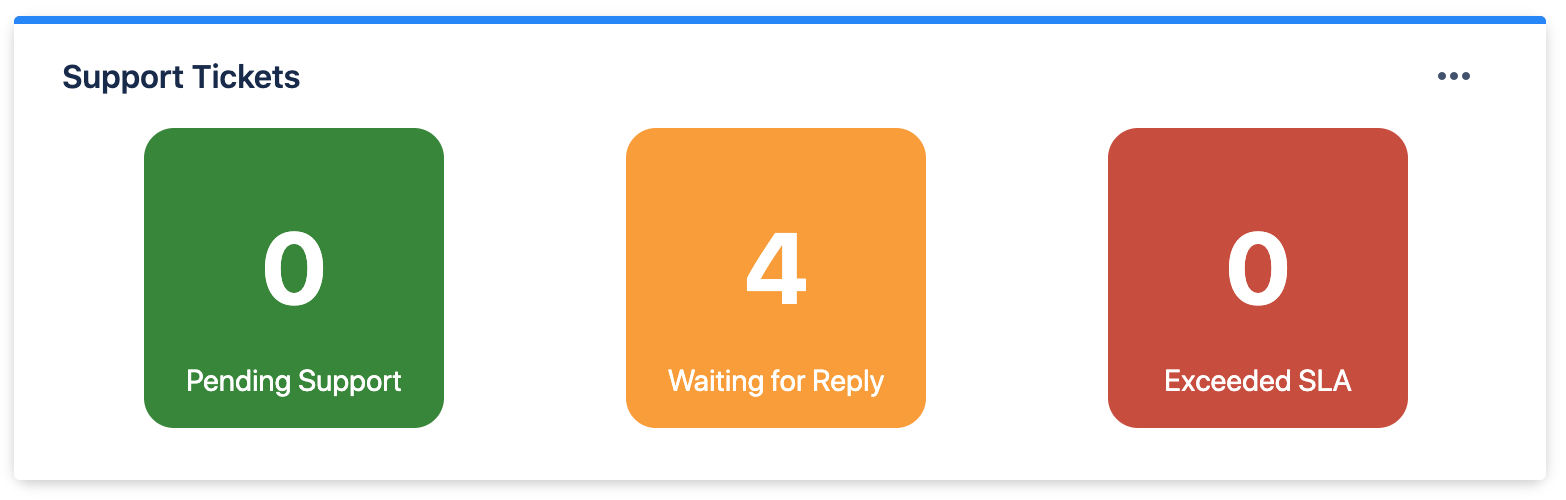
Possible use cases include:
-
To track number of issues that are pending work to be done / have exceeded working dateline
-
To track amount of story points that have been assigned vs completed
-
To track the average time spent on issues within a specific project weekly
Configuration
|
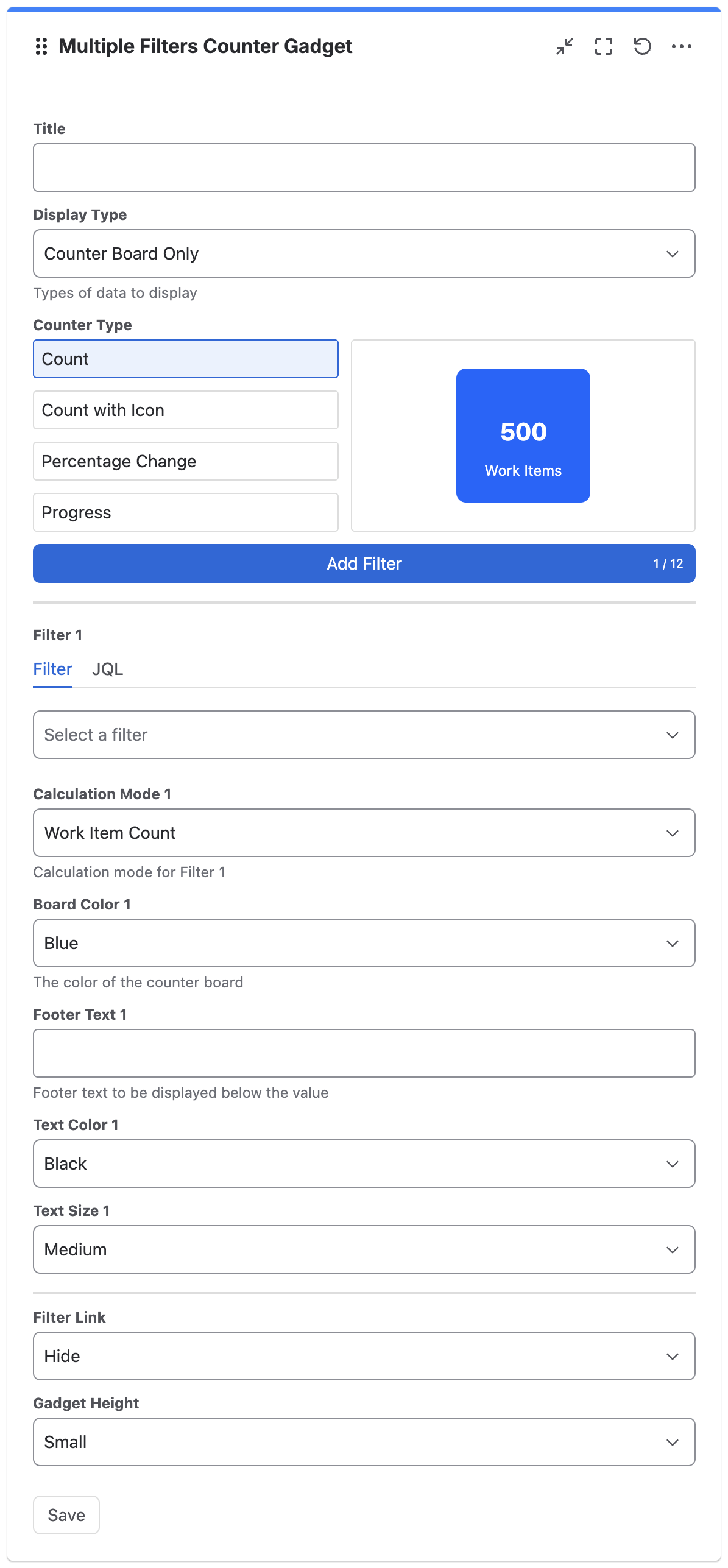
Settings |
Description |
|
|---|---|---|
|
Title |
The title to display in the gadget |
|
|
Display Type |
The types of data to display:
|
|
|
Counter Type |
Select a counter type:
|
|
|
Add filter |
Click to add filter *Maximum of 12 filters |
|
|
For Counter Type: Count |
||
|
Filter n |
Select filter or enter JQL |
|
|
Calculation Mode n |
The calculation mode for filter n:
|
The operator:
*Not applicable for Issue Count and Same as Filter 1 |
|
Board Color n |
The board color for counter n:
|
|
|
Min Value n |
The minimum value for range to apply for GTR or RTG |
|
|
Max Value Type n |
The type of max value to use for range to apply for GTR or RTG:
|
|
|
Max Value n (For “Use Number as Max Value”) |
The maximum value for range to apply for GTR or RTG |
|
|
Max Value Filter n (For “Use Filter as Max Value”) |
Select filter to use for max value |
|
|
Max Value Calculation Mode n (For “Use Filter as Max Value”) |
The calculation mode for max value filter n:
|
The operator:
*Not applicable for Issue Count and Same as Calculation Mode n |
|
The limit to use for color change |
||
|
Footer Text n |
The footer text for counter n to be displayed below the value |
|
|
Text Color n |
The text color for counter n:
|
|
|
Text Size n |
The text size for counter n:
|
|
|
For Counter Type: Count with Icon |
||
|
Filter n |
Select filter or enter JQL |
|
|
Calculation Mode n |
The calculation mode for filter n:
|
The operator:
*Not applicable for Issue Count and Same as Filter 1 |
|
Board Color n |
The board color for counter n:
|
|
|
Min Value n |
The minimum value for range to apply for GTR or RTG |
|
|
Max Value Type n |
The type of max value to use for range to apply for GTR or RTG:
|
|
|
Max Value n (For “Use Number as Max Value”) |
The maximum value for range to apply for GTR or RTG |
|
|
Max Value Filter n (For “Use Filter as Max Value”) |
Select filter to use for max value |
|
|
Max Value Calculation Mode n (For “Use Filter as Max Value”) |
The calculation mode for max value filter n:
|
The operator:
*Not applicable for Issue Count and Same as Calculation Mode n |
|
The limit to use for color change |
||
|
Header Text n |
The header text for counter n to be displayed above the value |
|
|
Icon n |
The icon for filter n |
The icon color:
|
|
For Counter Type: Percentage Change |
||
|
Filter n |
Select filter or enter JQL |
|
|
Calculation Mode n |
The calculation mode for filter n:
|
The operator:
*Not applicable for Issue Count and Same as Filter 1 |
|
Previous Value Type n |
The type of previous value to use for percentage change calculation:
|
|
|
Previous Value n (For “Use Number as Previous Value”) |
The previous value number |
|
|
Previous Value Filter n (For “Use Filter as Previous Value”) |
Select filter to use for previous value |
|
|
Previous Value Calculation Mode n (For “Use Filter as Previous Value”) |
The calculation mode for previous value filter n:
|
The operator:
*Not applicable for Issue Count and Same as Calculation Mode n |
|
Header Text n |
The header text for counter n to be displayed above the value |
|
|
For Counter Type: Progress |
||
|
Filter n |
Select filter or enter JQL |
|
|
Calculation Mode n |
The calculation mode for filter n:
|
The operator:
*Not applicable for Issue Count and Same as Filter 1 |
|
Board Color n |
The board color for counter n:
|
|
|
Max Value Type n |
The type of max value to use:
|
|
|
Max Value n (For “Use Number as Max Value”) |
The maximum value number |
|
|
Max Value Filter n (For “Use Filter as Max Value”) |
Select filter to use for max value |
|
|
Max Value Calculation Mode n (For “Use Filter as Max Value”) |
The calculation mode for max value filter n:
|
The operator:
*Not applicable for Issue Count and Same as Calculation Mode n |
|
Header Text n |
The header text for counter n to be displayed above the value |
|
|
|
||
|
Filter Link |
Whether to show or hide the filter link:
|
|
|
Gadget Height |
The height for the counter:
|
|