.png)
Introduction
The Update Issue Field workflow action can set a field based on the value of another field automatically during a workflow transition. It works similarly to Excel’s vLookup function.
New Editor
Starting June 2026, all workflow editors will use the new workflow editor and can no longer select the old editor. This new editor includes all actions consolidated into a single view (Ref).
We have added this page for users who are configuring the workflow using the new workflow editor.
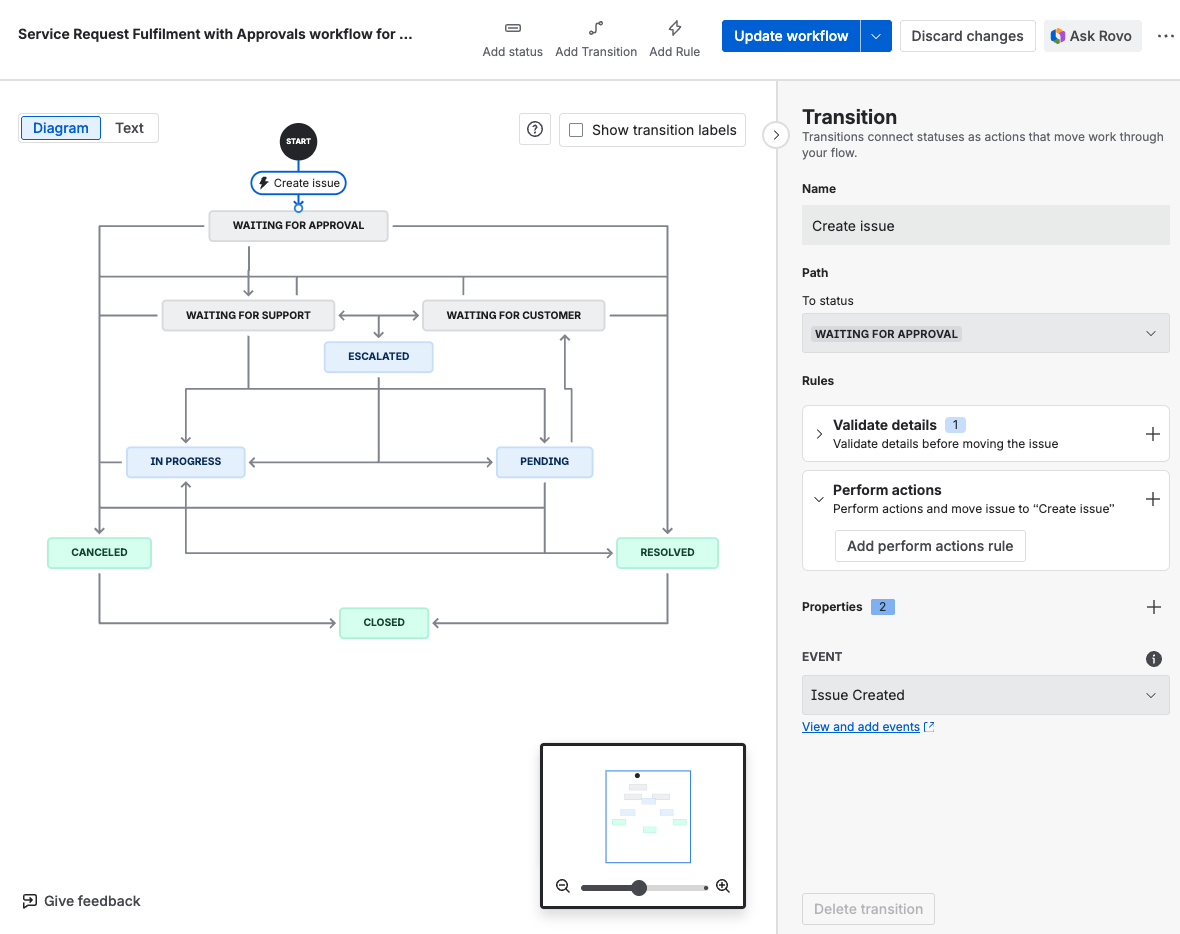
For those who have been using Jira, the terminology has changed
-
Projects → Spaces
-
Issues → Work Item
-
Custom Fields → Fields
-
Validators → Validate details
-
Post Functions → Perform actions
How to add the Update Issue Field workflow action
-
Edit the workflow
-
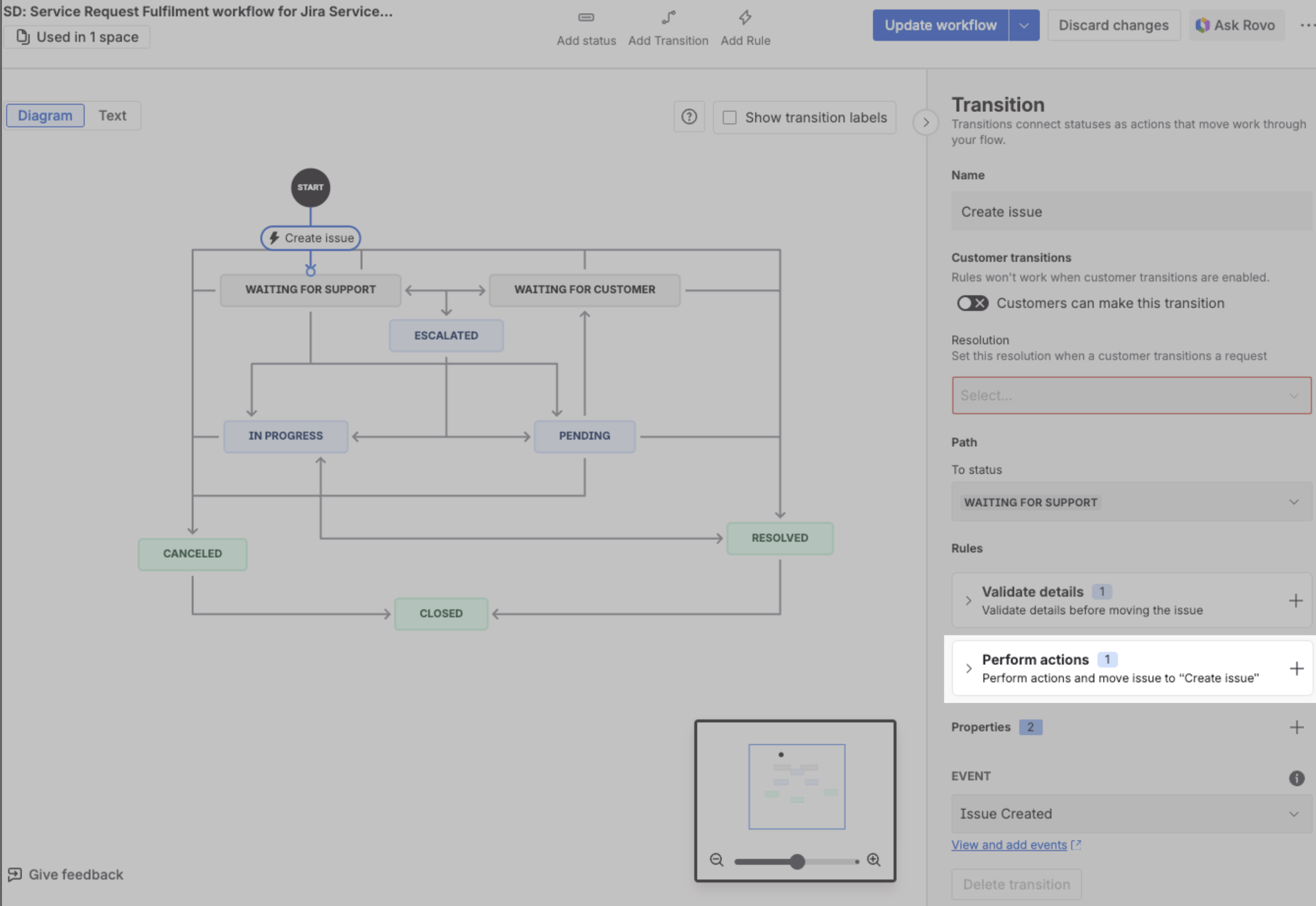
Click on the arrow line to select the transition to apply the action
-
On the right panel, click on the + icon under Perform actions
-
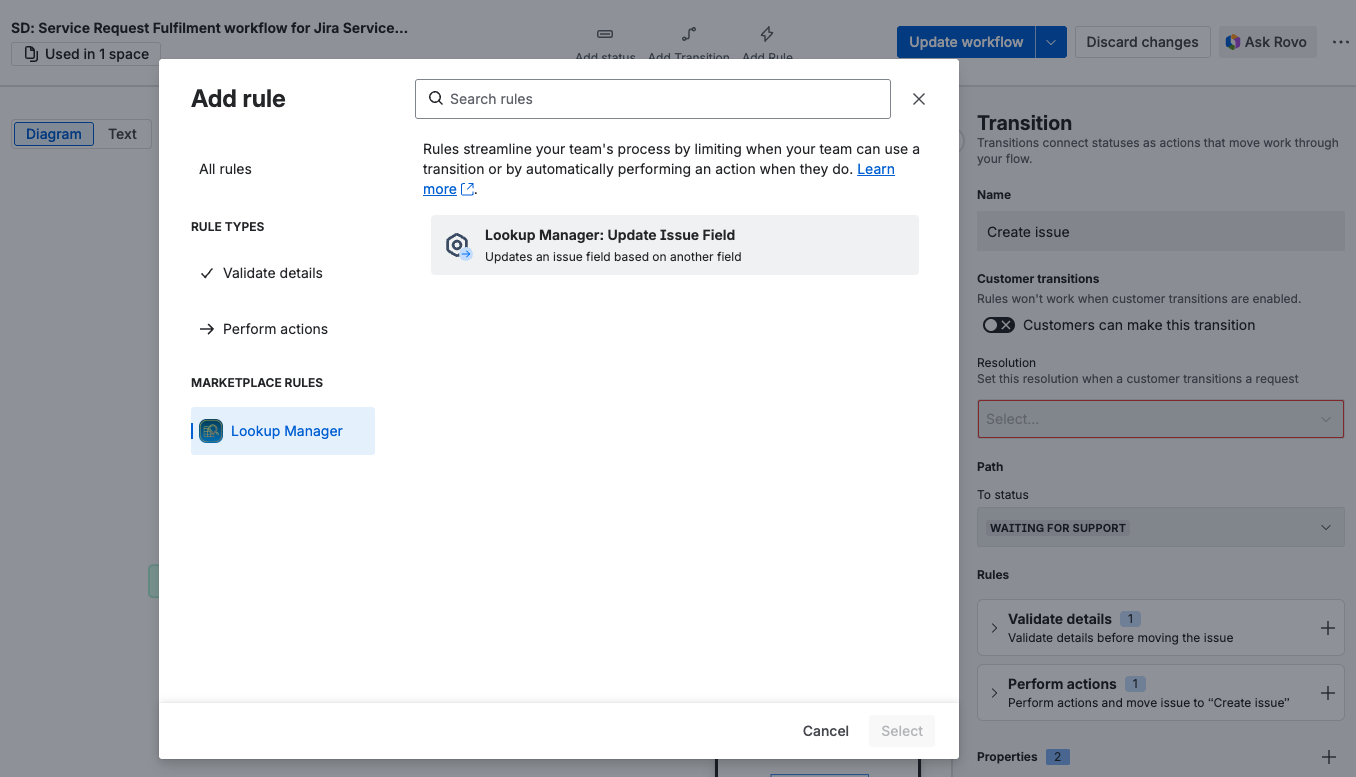
Select Lookup Manager: Update Issue Field to perform a lookup during issue transition
-
The popup will appear for you to configure the actions
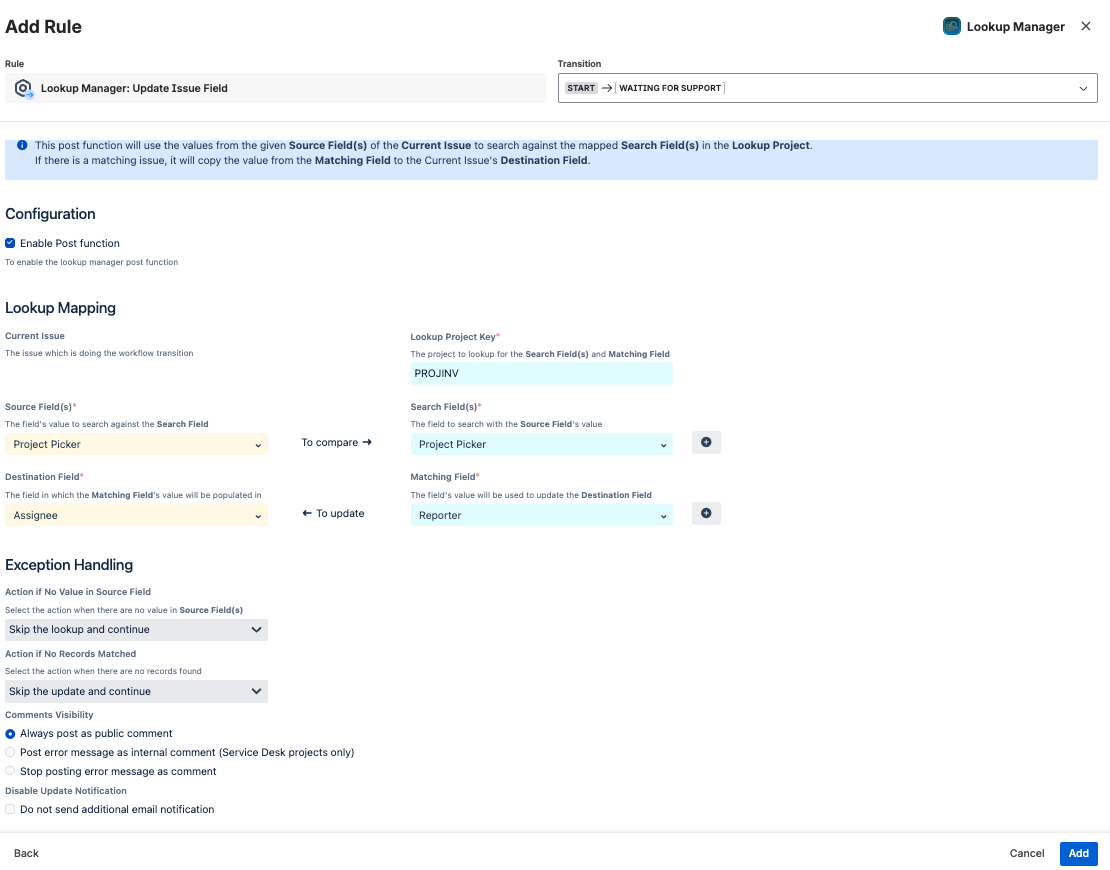
The various options are listed below
|
Lookup Project Key |
The project space to lookup for the Search Field(s) and Matching Field |
|---|---|
|
Source Field(s) |
The custom field which stores the lookup value to be searched in the lookup table. |
|
Search Field(s) |
The custom field in which the lookup value will be searched |
|
Matching Field |
The custom field in which the matching value will be returned |
|
Destination Field |
Field in which the matching value will be populated in |
|
Action if No Value in Source Field |
|
|
Action if No Records Matched |
|
|
Comment Visibility |
|
|
Disable Update Notification |
|
-
Click on Add/Save button to confirm the changes

-
Publish the workflow by clicking on Update workflow when everyone is done
An example
In this example, when a request is created in the Service Desk (SD) space, it will use the selected value from the Project Picker field to look up the Jira Project Inventory (PROJINV) space. It will find a work item where the Project Picker matches and then use its reporter to update back the assignee of the triggering space.
Setup Lookup Project
Create a lookup space, Jira Project Inventory (PROJINV), which stores the manager for each Jira Project using the reporter field. It should have the following fields:
-
Summary
-
Reporter
-
Project Picker

Configure the Workflow Action
Navigate to another project, Service Desk (SD), in which people can raise requests to add themselves into the role of the project space.
-
Go to the workflow you wish to perform a lookup function.
-
Click on Edit Workflow for the workflow you wish to amend
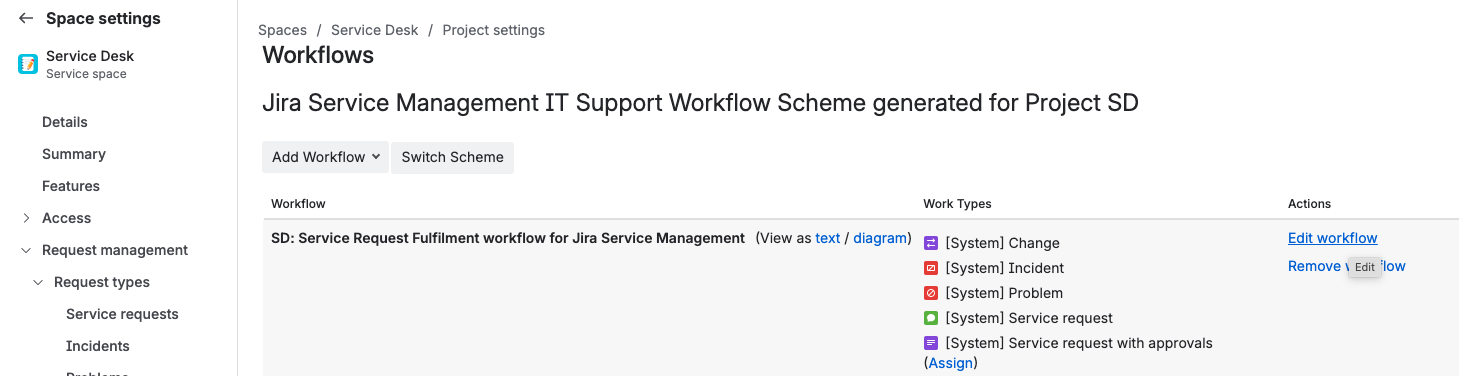
-
In your workflow page, choose the transition you wish to add lookup function.
E.g. Create issue transition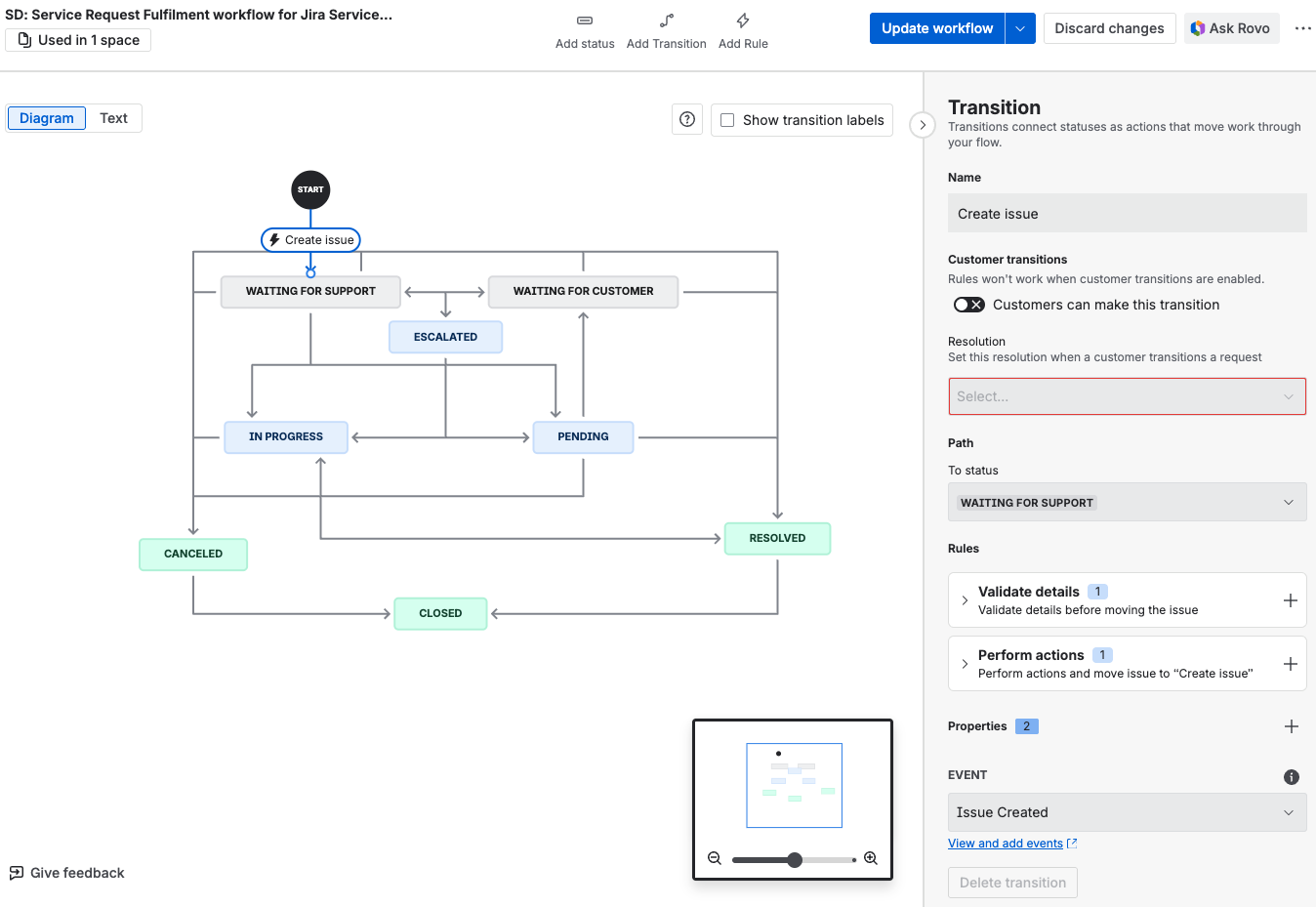
-
Under the Perform actions section in the right panel, click on + to insert an action
-
Select Lookup Manager: Update Issue Field to perform a lookup during work item transition
-
You can configure as below
-
You can view the summary of the post function
-
Remember to publish the workflow by clicking on Update workflow
Testing out the Workflow action
Now, when the ticket is created and user has selected a project (e.g. Lookup Table ) for the Project Picker Field,
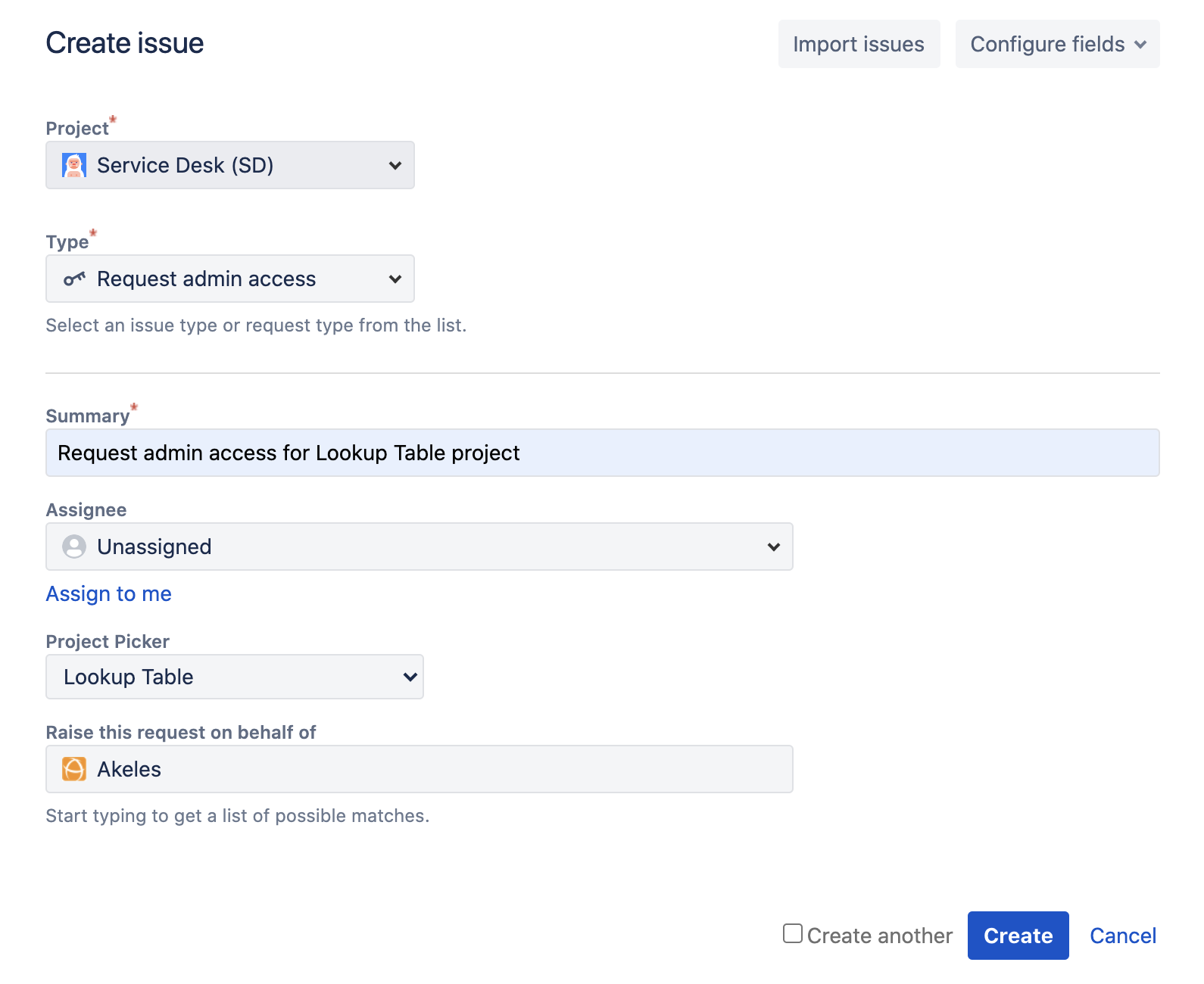
The Lookup Manager will
-
Use the fields in the SD ticket to compose a JQL.
PROJECT = PROJINV AND "Project Picker[Project Picker (single project)]" = "Lookup Table" ORDER BY by updated DESC -
Then take the corresponding fields in the matching PROJINV work item (e.g . Reporter) to populate another field in the SD (e.g. set the Assignee field)