.png)
To display percentage value in charts and data table, update the Data Labels setting to %.

How percentage is calculated
For bar and line charts, percentage can be calculated by series, dates/statistic types or all values.
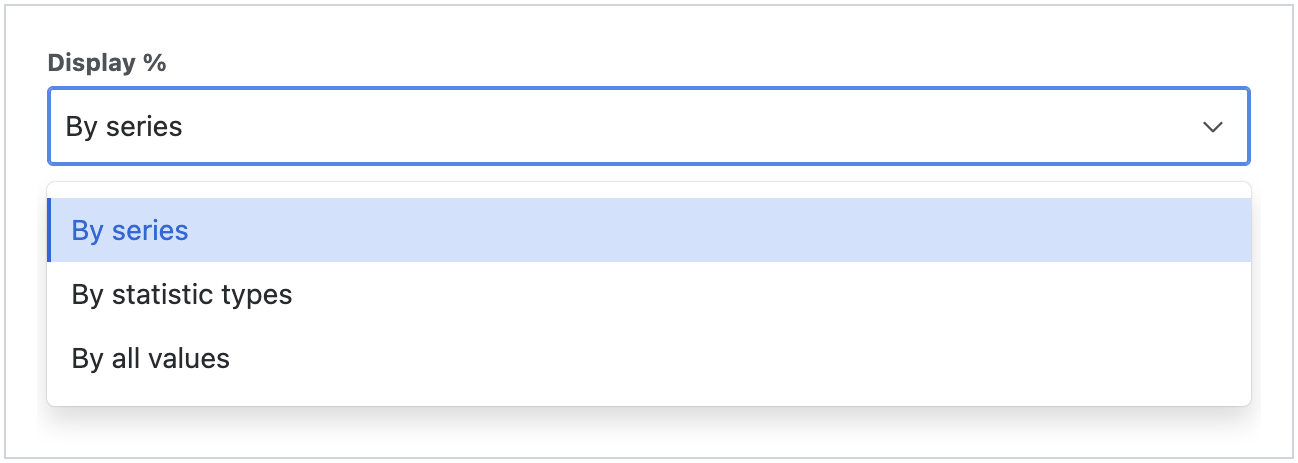
Please note that the total percentage may not add up to 100% due to rounding issues.
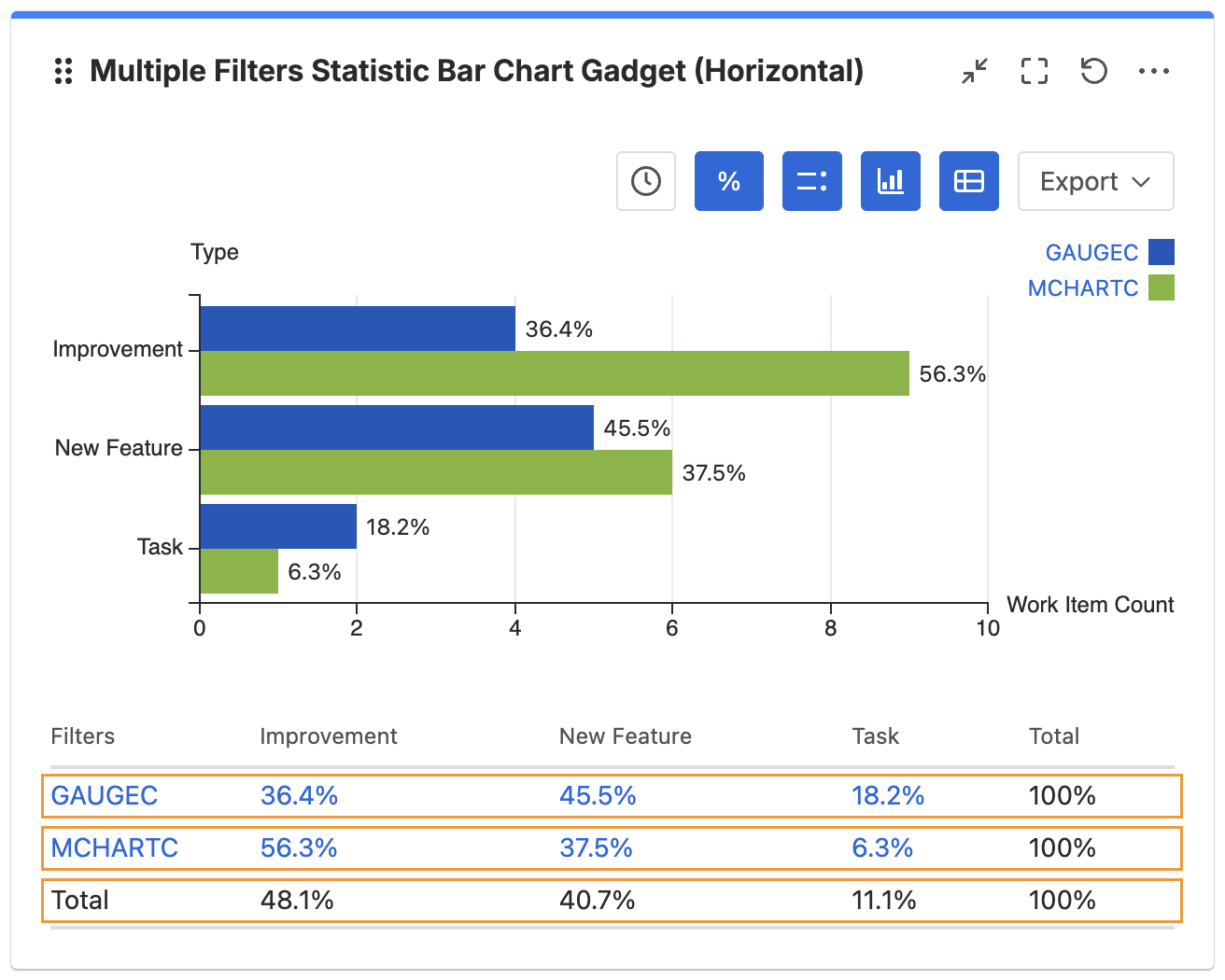
By series
% of value from the same series
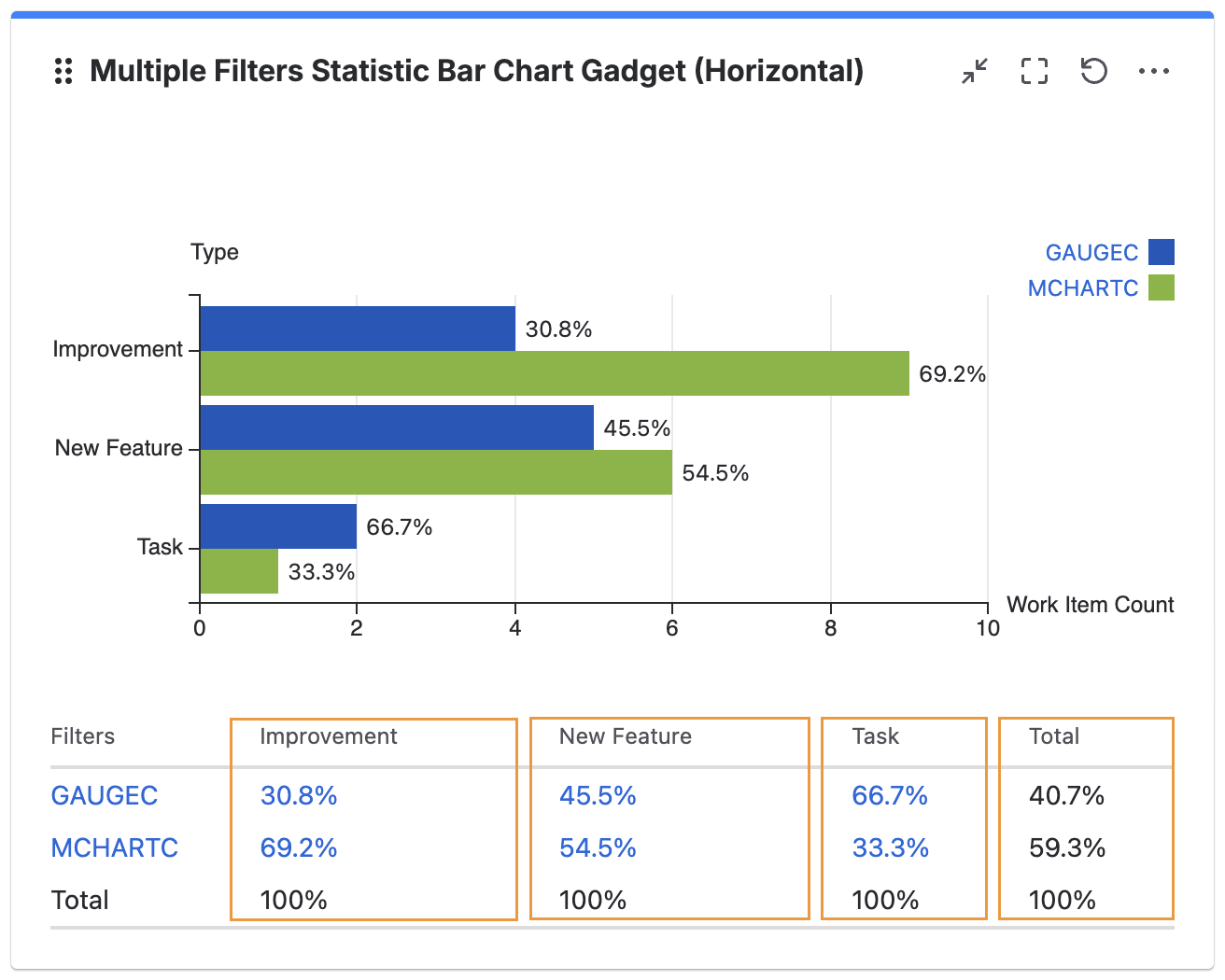
By dates/statistic types
% of value from the same date/statistic label
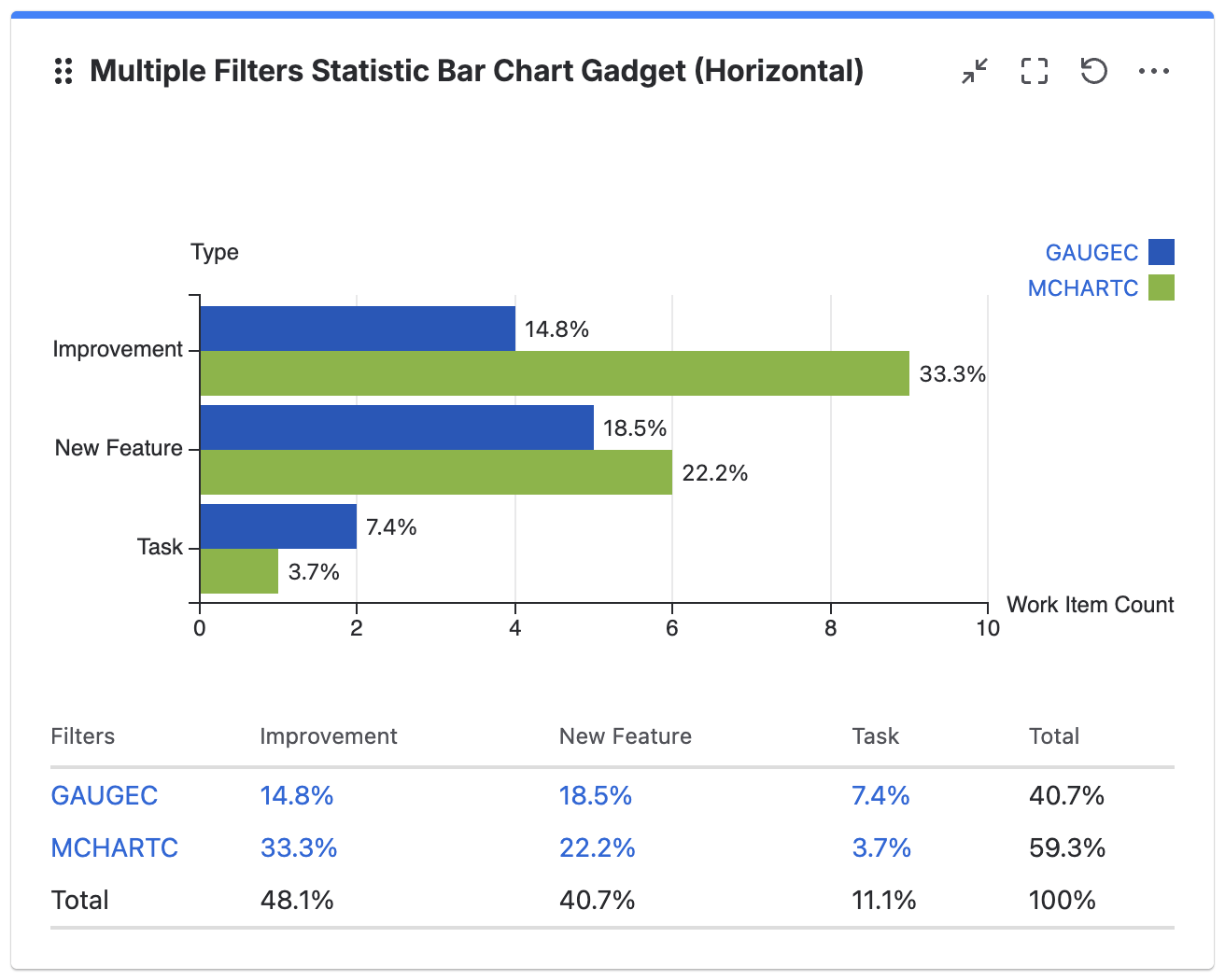
By all values
% of value over total value
It is possible to toggle the displayed value using the interactive button.