.png)
File Type Checker provides flexible options on how to handle unwanted attachments.
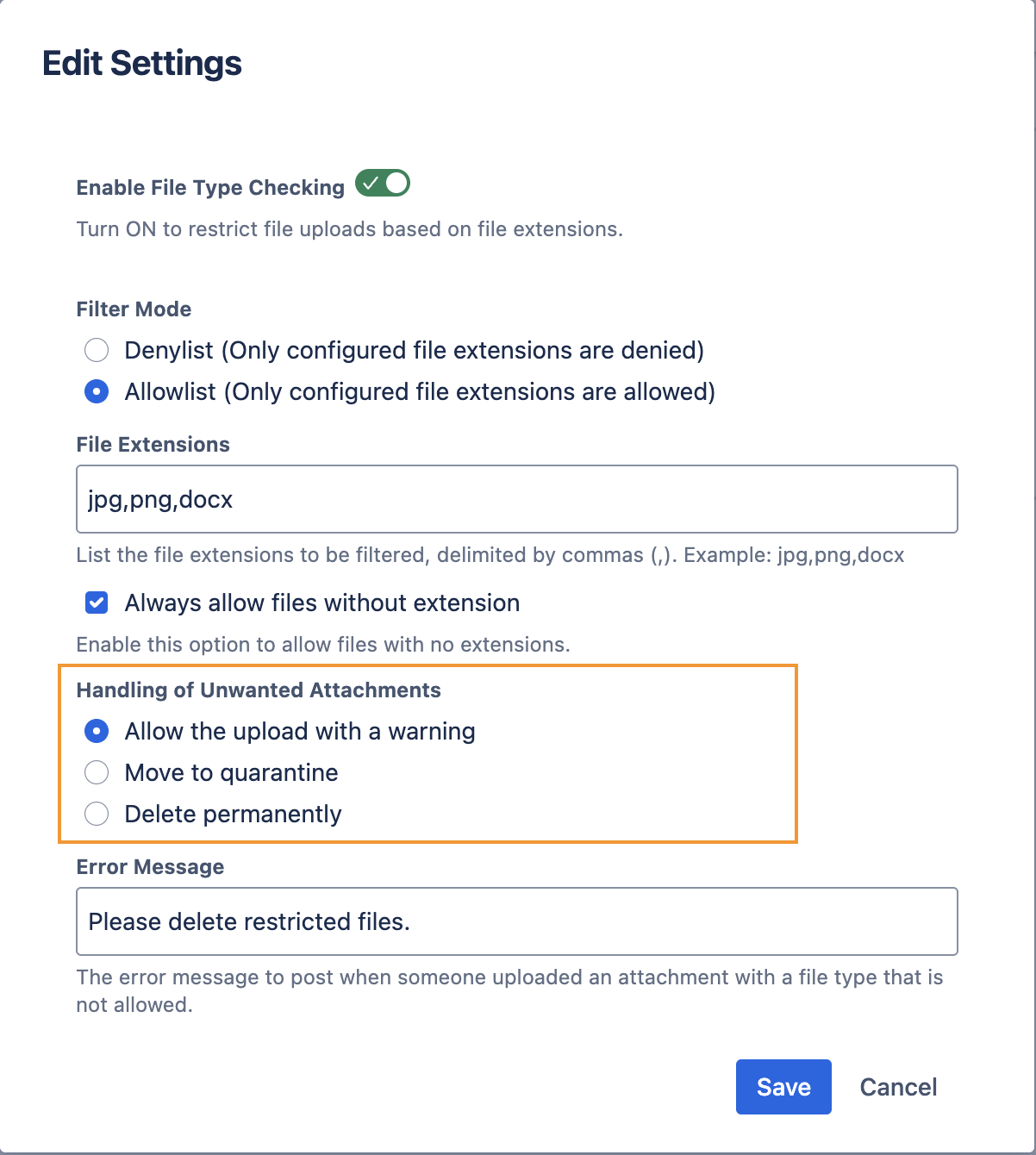
This page explains the 3 available options from Configuring Allowed/Blocked File Types and their behaviours.
-
Allow the upload with a warning
-
Move to quarantine
-
Delete Permanently
Allow the upload with a warning
This approach is useful when you are starting out with File Type Checking. It helps to inform the users that the file types are not recommended due to security concerns.
When this option is selected:
-
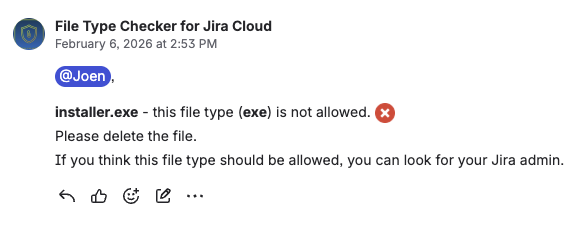
The attachment remains visible on the original work item.
-
The uploader is tagged in a comment indicating that the attachment type is not allowed.
-
You can follow up with the user or remove the attachment manually if required.
Move to quarantine
This approach is suitable when you prefer to keep a copy and restrict the access for unwanted file types. Otherwise once an attachment is permanently deleted, it cannot be recovered. This will facilitate investigation, but may require more effort for the Jira admin.
Storing attachments in a quarantine project:
-
Allows Jira Admins to review attachments before permanent removal.
-
Provides a backup copy that admins can access if needed.
-
Prevents normal users from accessing or downloading the attachments.
When you choose to move attachments to quarantine:
-
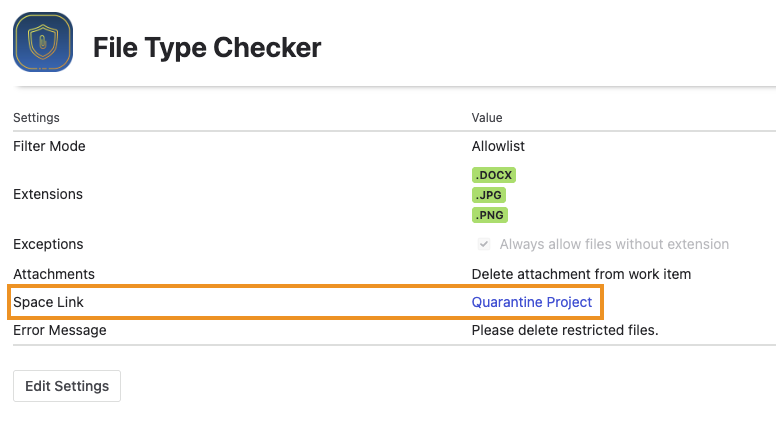
A dedicated quarantine space is created when you save the configuration.
-
The attachment is deleted from the original work item and moved to the quarantine space.
-
Admins can find this space under Space Link.
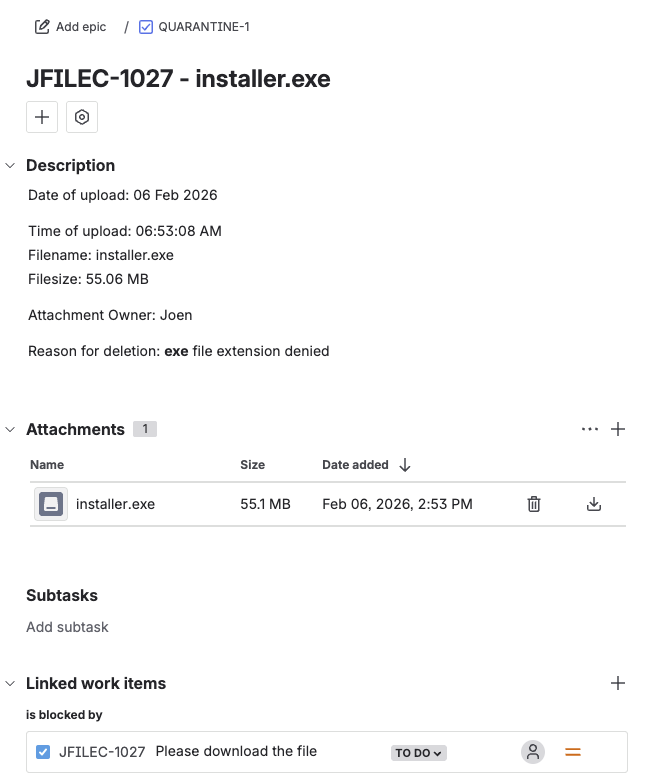
For each quarantined attachment, a work item is created that includes:
-
Date and time of upload
-
File name and size
-
The user who uploaded the attachment
-
A link back to the original work item
Delete permanently
The approach is recommended if the users are familiar with the File Type Checker and there is no need to retain a copy of the attachments.
Under this mode, deleted attachments cannot be recovered.
When this option is enabled:
-
The attachment is deleted upon upload.
-
Users will not see the attachment in the work item.
-
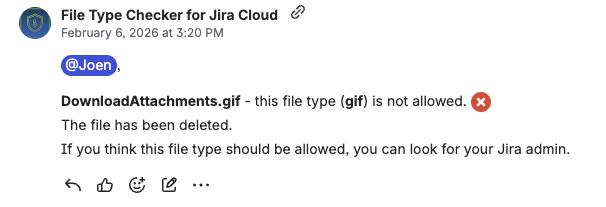
A comment will be added indicating that the attachment type is not allowed and has been deleted.