.png)
Benefit of Forge
The app has been migrated from Atlassian Connect Express (ACE) to Atlassian Forge.
-
Improved security through Atlassian’s built-in security, privacy, and compliance standards
-
Optimized performance and scalability, ensuring a more stable experience as usage grows
-
Full alignment with Atlassian Cloud, keeping the app compatible with Atlassian’s future platform direction
Actions Required
Manual Update Required (by Jira Cloud Admins)
Unlike previous releases, where updates were automatically rolled out, major releases, including Forge modules, require Jira admins to trigger the update manually.
To update:
-
Navigate to admin.atlassian.com
-
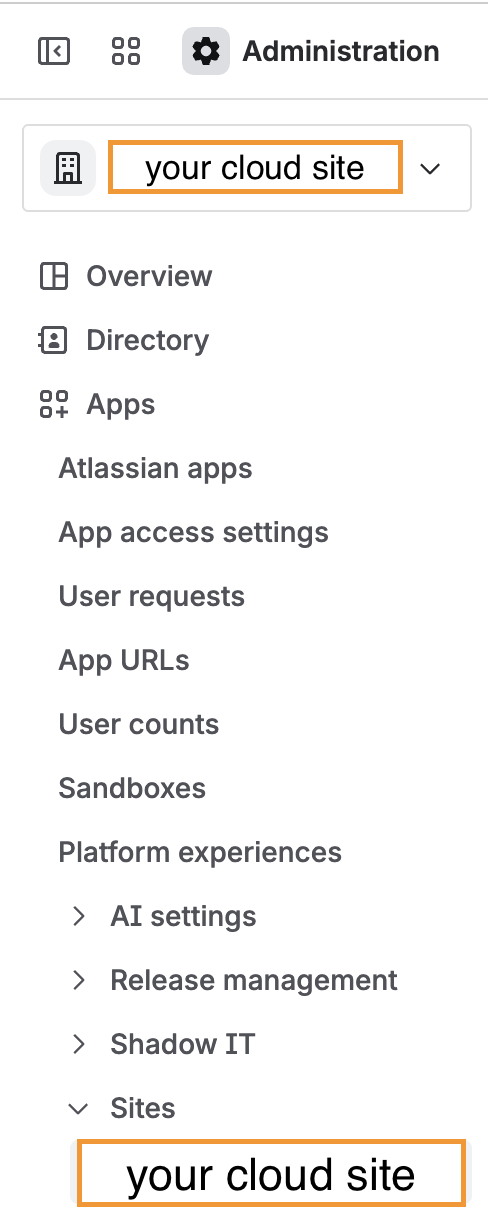
Click on Apps and click on Sites to find your Cloud site
-
Click on your cloud site
-
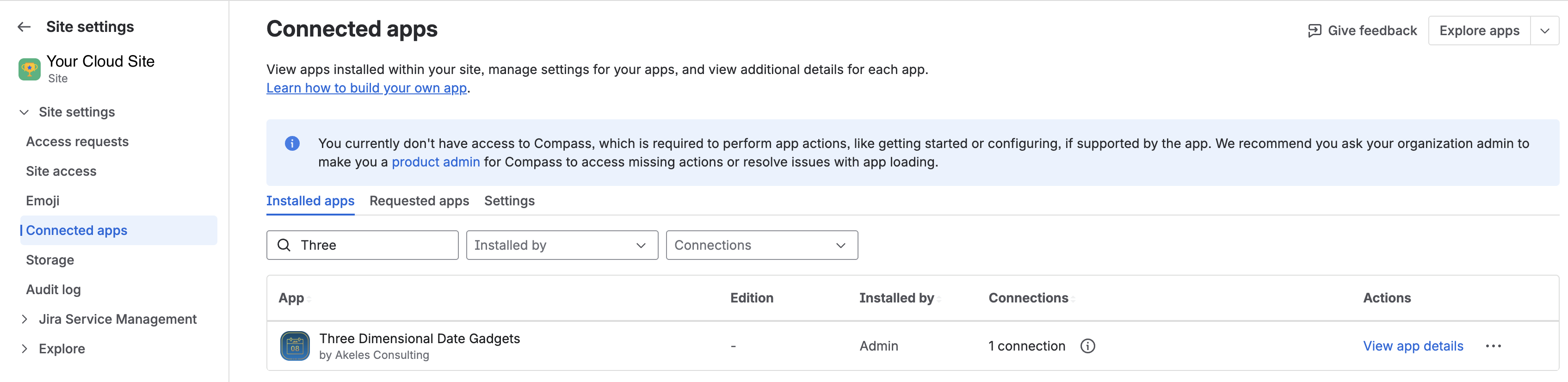
Go to Connected Apps
-
Find Three Dimensional Date Gadgets
-
Click Update
For the detailed steps, please refer to Upgrading the app to Atlassian Forge version.
Configuration of gadgets
The app functionality remains unchanged, with all settings preserved.
No action is required from users
Improvements
While we were migrating to Forge, we have added options for users to highlight current week/month and support for dark mode
-
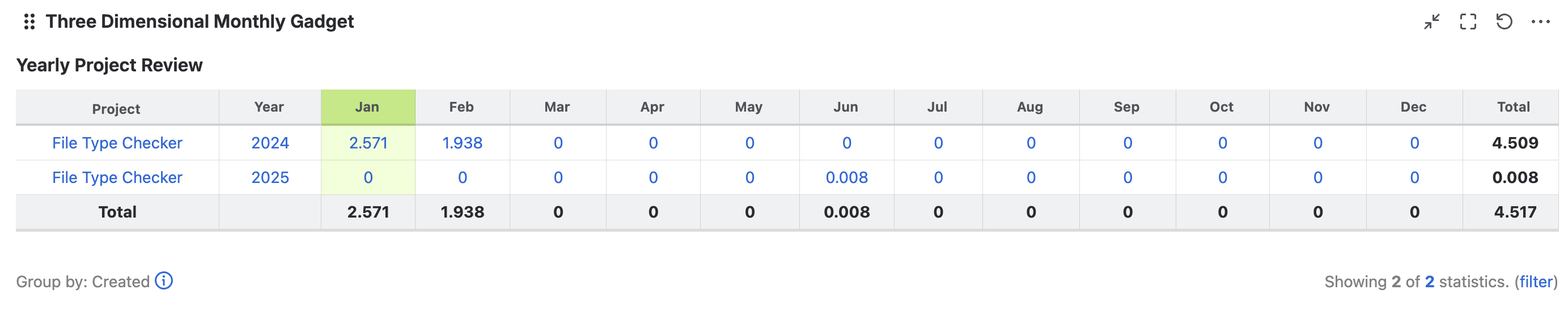
Added an option to highlight the current week or month in the following gadgets:
-
Three Dimensional Monthly Gadget
-
Rolling Window Weekly Gadget
-
|
Three Dimensional Monthly Gadget |
|
|---|---|
|
Rolling Window Weekly Gadget |

|
-
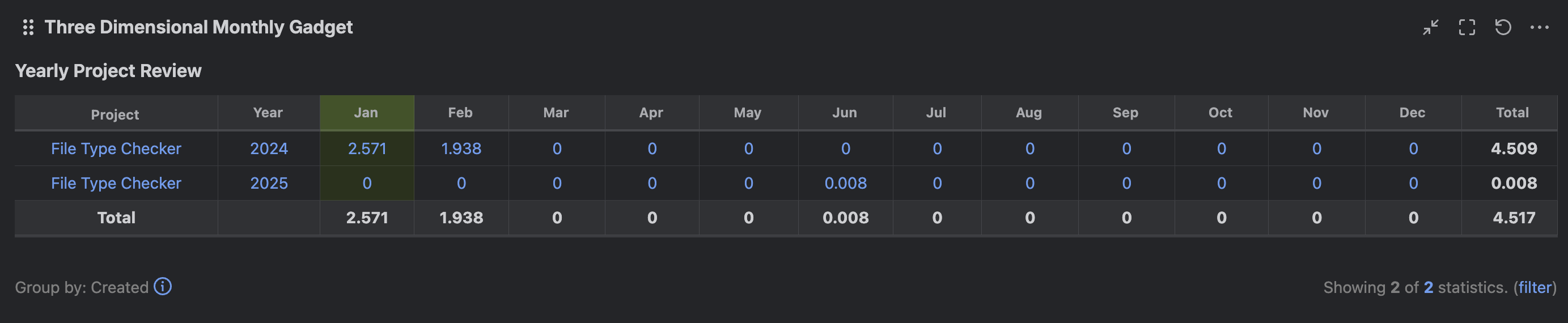
Support for dark mode
|
Three Dimensional Monthly Gadget |
|
|---|---|
|
Rolling Window Monthly Gadget |
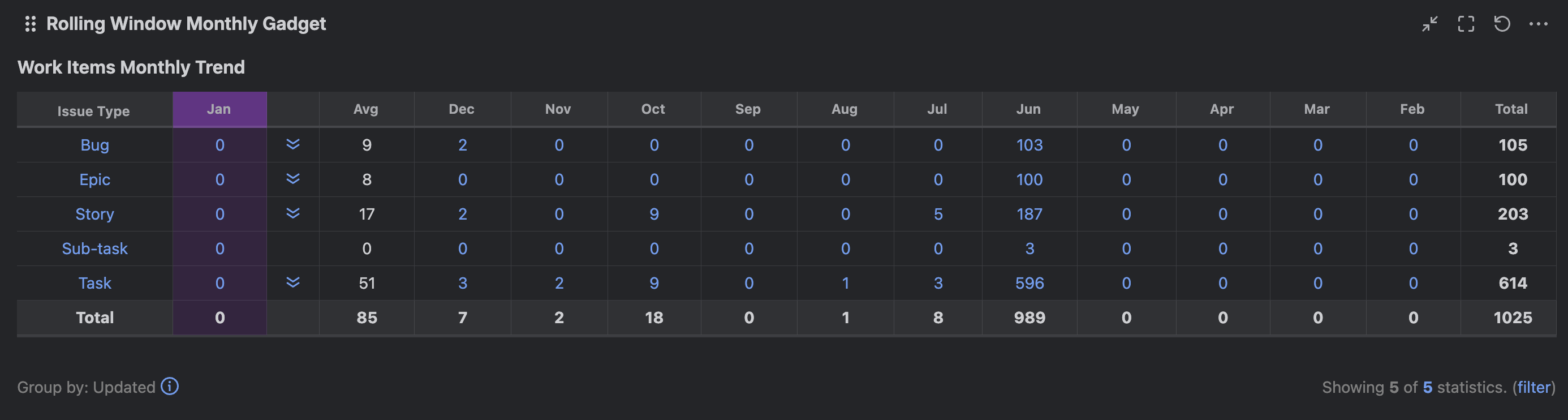
|
|
Rolling Window Weekly Gadget |
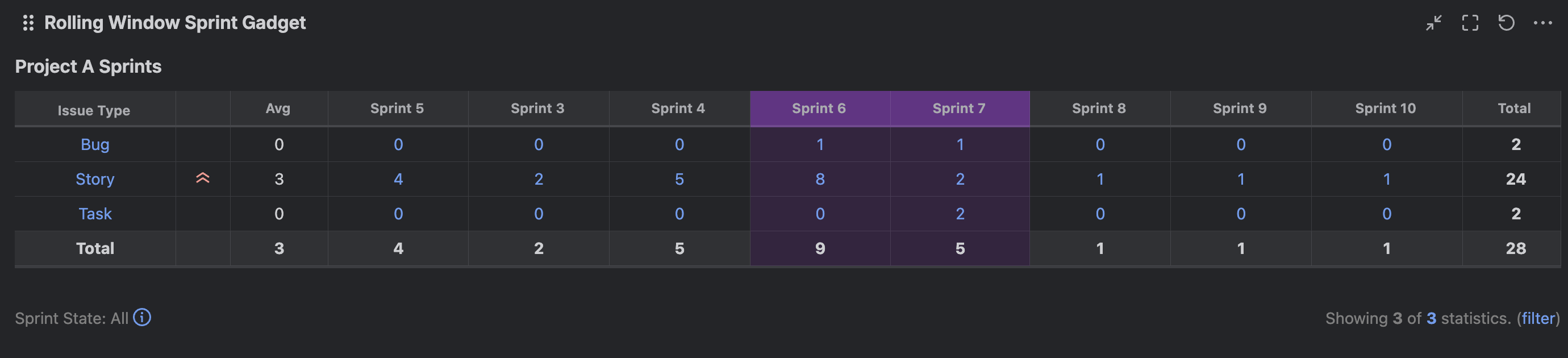
|
|
Rolling Window Sprint Gadget |
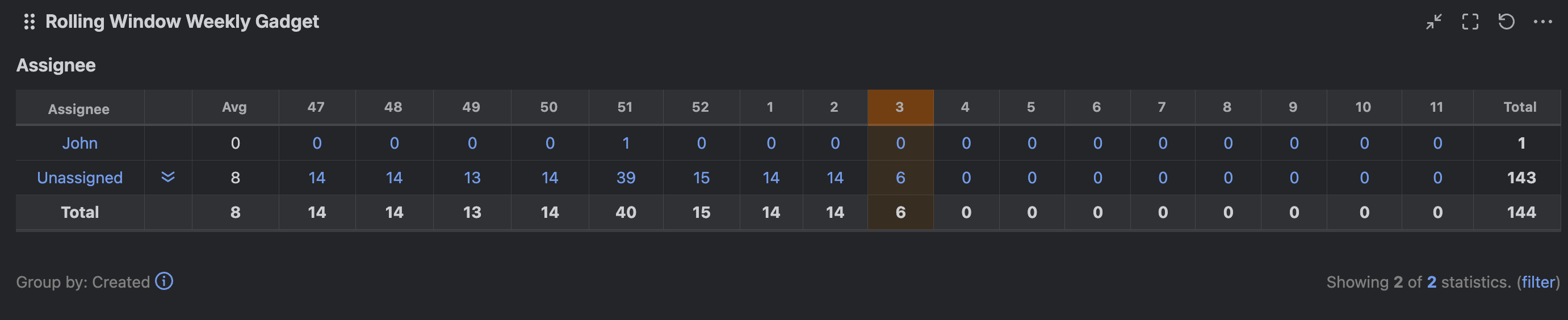
|