.png)
Introduction
We have migrated the app from Atlassian Connect to Atlassian Forge from version 2.1.0 onwards.
-
version 1.x.x - powered by Atlassian Connect
-
version 2.x.x and beyond - powered by Atlassian Forge
Unlike previous releases, where updates were automatically rolled out, this version is a major release which requires Jira admins to trigger the update manually.
Steps
To upgrade to the latest version,
-
Go to Jira
-
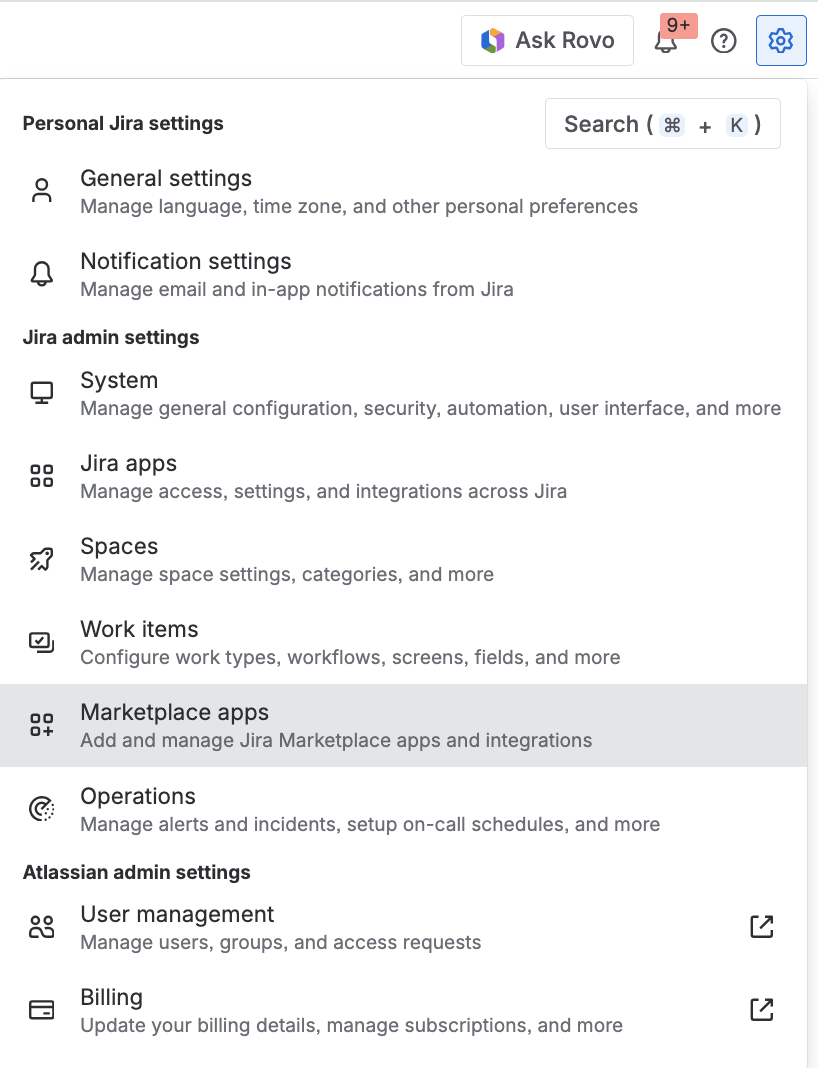
Click on the Settings icon on the top right corner of the top menu bar
-
Select Marketplace apps from the dropdown menu
-
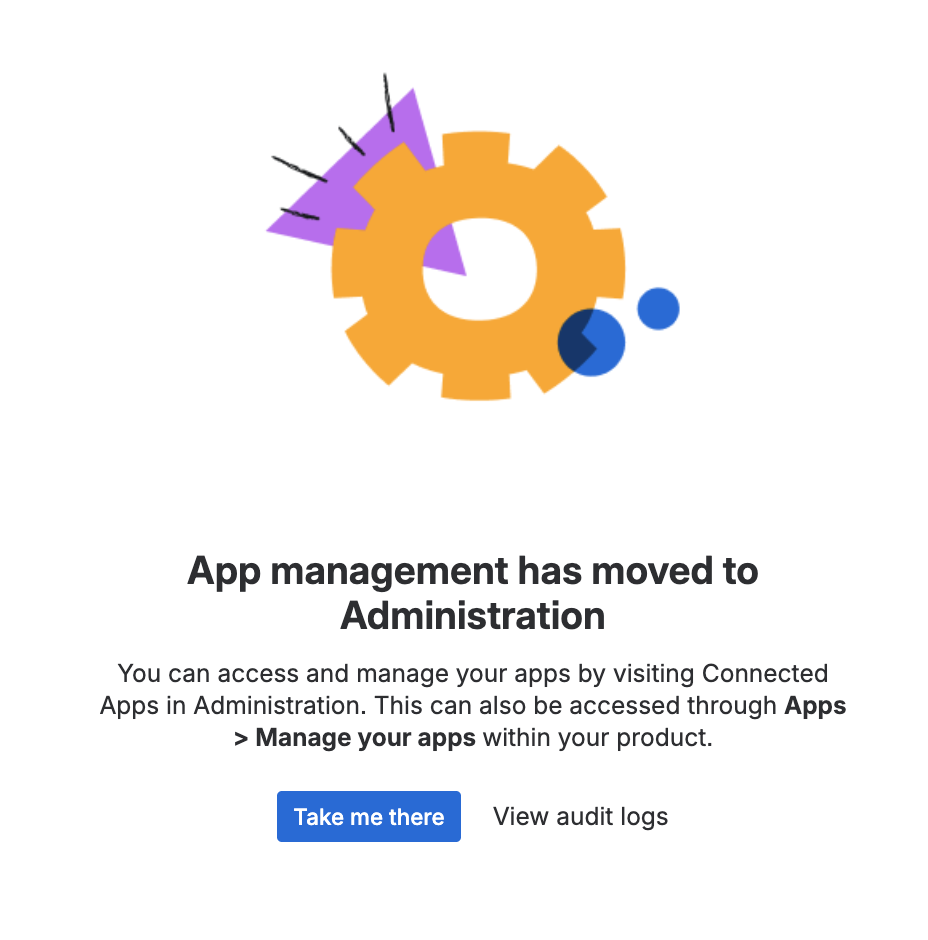
Click on Take me there button
-
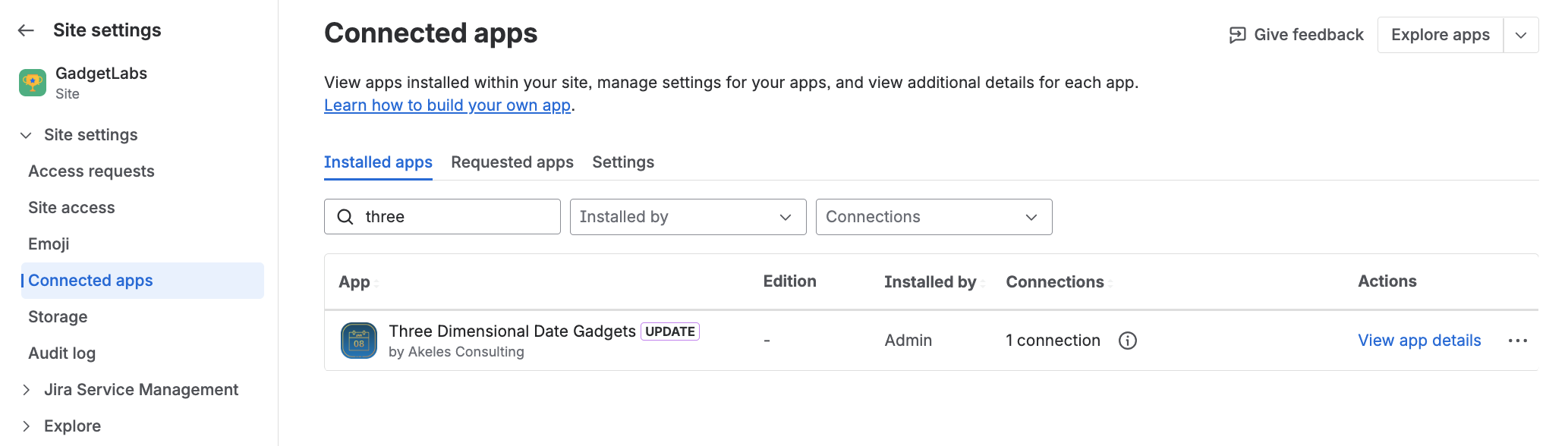
You will reach the Connected Apps page
-
Search for Three Dimensional Date Gadgets
-
Click on View app details link for the entry
-
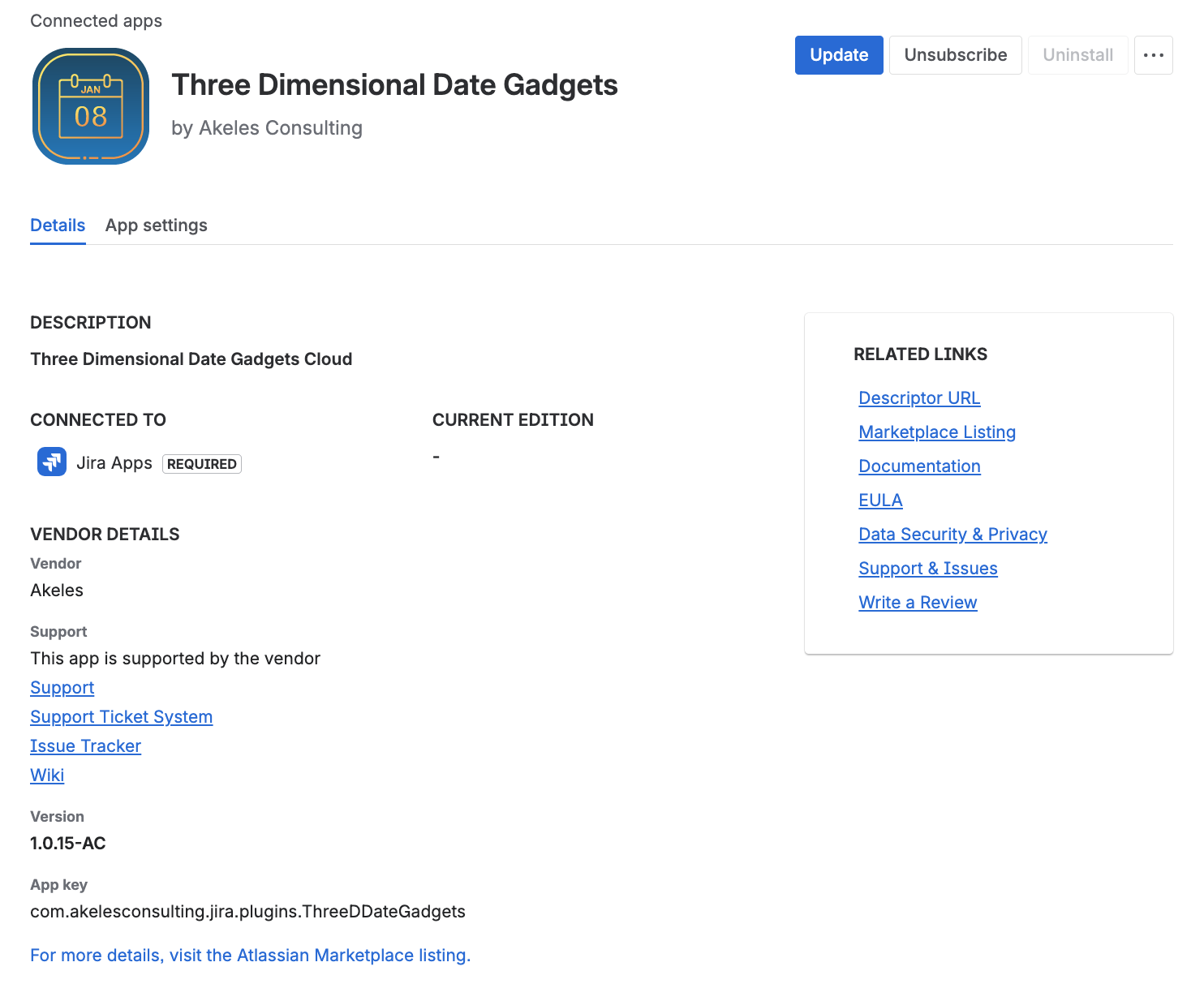
Click on the Update button
-
Click on the Update button to confirm the upgrade
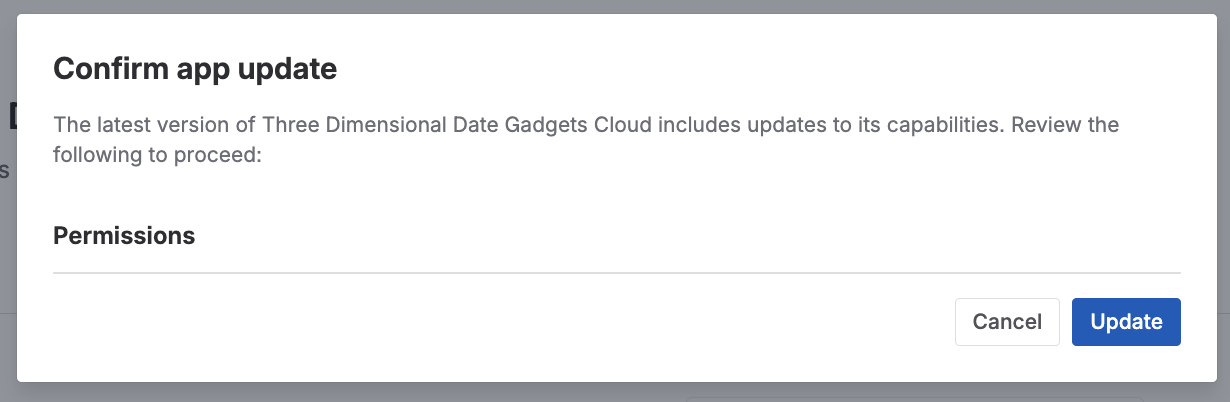
-
The app is upgraded successfully
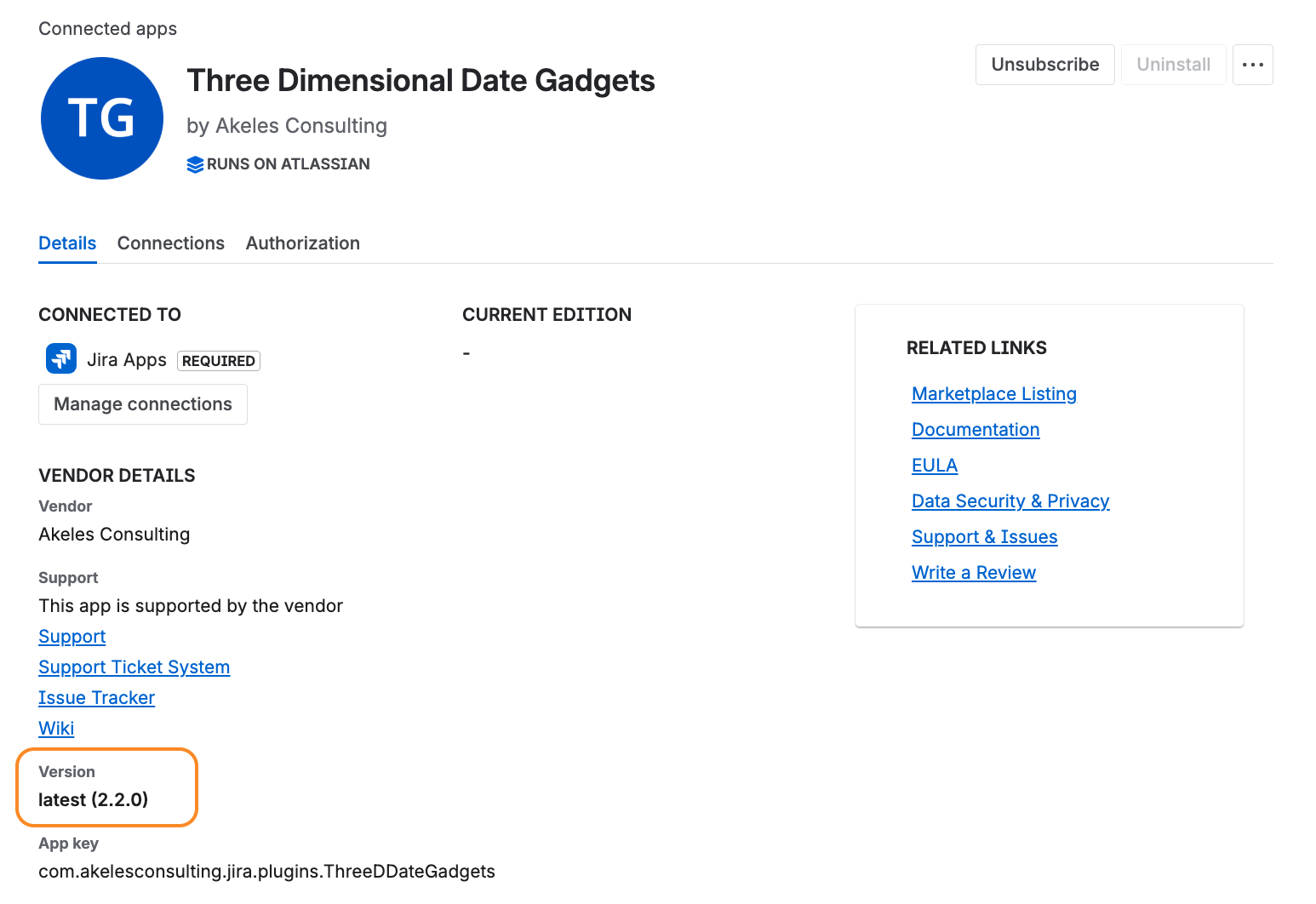
Now you can verify if your gadgets are running as usual.
If there are any issues, you can raise a ticket at our Service Desk.
Benefits of switching to Forge
With the app running on Atlassian infrastructure,
-
Improved security through Atlassian’s built-in security, privacy, and compliance standards
-
It complies fully with Data Residency even though the app does not store data previously
-
It ensures there is no data egress to external servers
-
-
Optimized performance and scalability, ensuring a more stable experience as usage grows
-
Full alignment with Atlassian Cloud, keeping the app compatible with Atlassian’s future platform direction