.png)
Summary
New Features
Properties Table Custom Field
A new custom field with configurable row headings has been added.
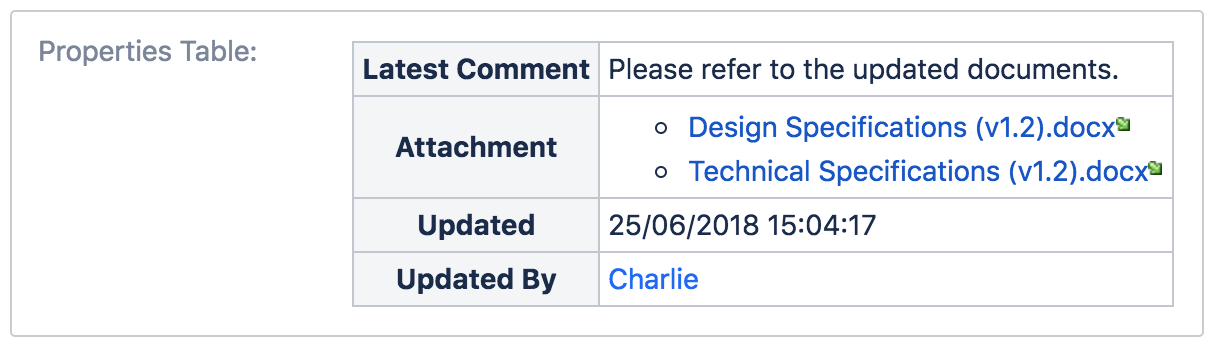
The following actions are available for the post function:
-
Update table – updates/overwrites the entire table.
-
Purge table – purge the entire table.
Refer to How to configure Properties Table Custom Field post function for more information.
Enhancements
Support for attachments value
Attachments with special characters such as '@', '$' and '&' are not supported for attachment link [^attachment.ext]
If attachments are found attached to the transition screen, they will be added/updated into the table as an attachment link in a bullet list.
|
Custom Field |
Action |
Option Supported |
|---|---|---|
|
Table Custom Field |
Add a new row |
|
|
Update an existing row |
|
|
|
Populate an existing row with key |
|
|
|
Delete an existing row |
|
|
|
Delete an existing row with key |
|
|
|
Purge table |
|
|
|
Sort table |
|
|
|
Properties Table Custom Field |
Update table |
|
|
Purge table |
|
Support for string value
A string value can now be specified in the workflow post function configuration.
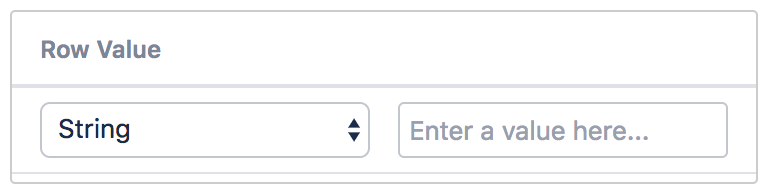
|
Custom Field |
Action |
Option Supported |
|---|---|---|
|
Table Custom Field |
Add a new row |
|
|
Update an existing row |
|
|
|
Populate an existing row with key |
|
|
|
Delete an existing row |
|
|
|
Delete an existing row with key |
|
|
|
Purge table |
|
|
|
Sort table |
|
|
|
Properties Table Custom Field |
Update table |
|
|
Purge table |
|
Immediate update of column/row headings
The update of column/row headings are now immediate. Entries can also be updated, instead of having to delete and re-add.
In previous versions, you have to click on the Save button in order to save the changes made.
Issues Resolved