.png)

Overview
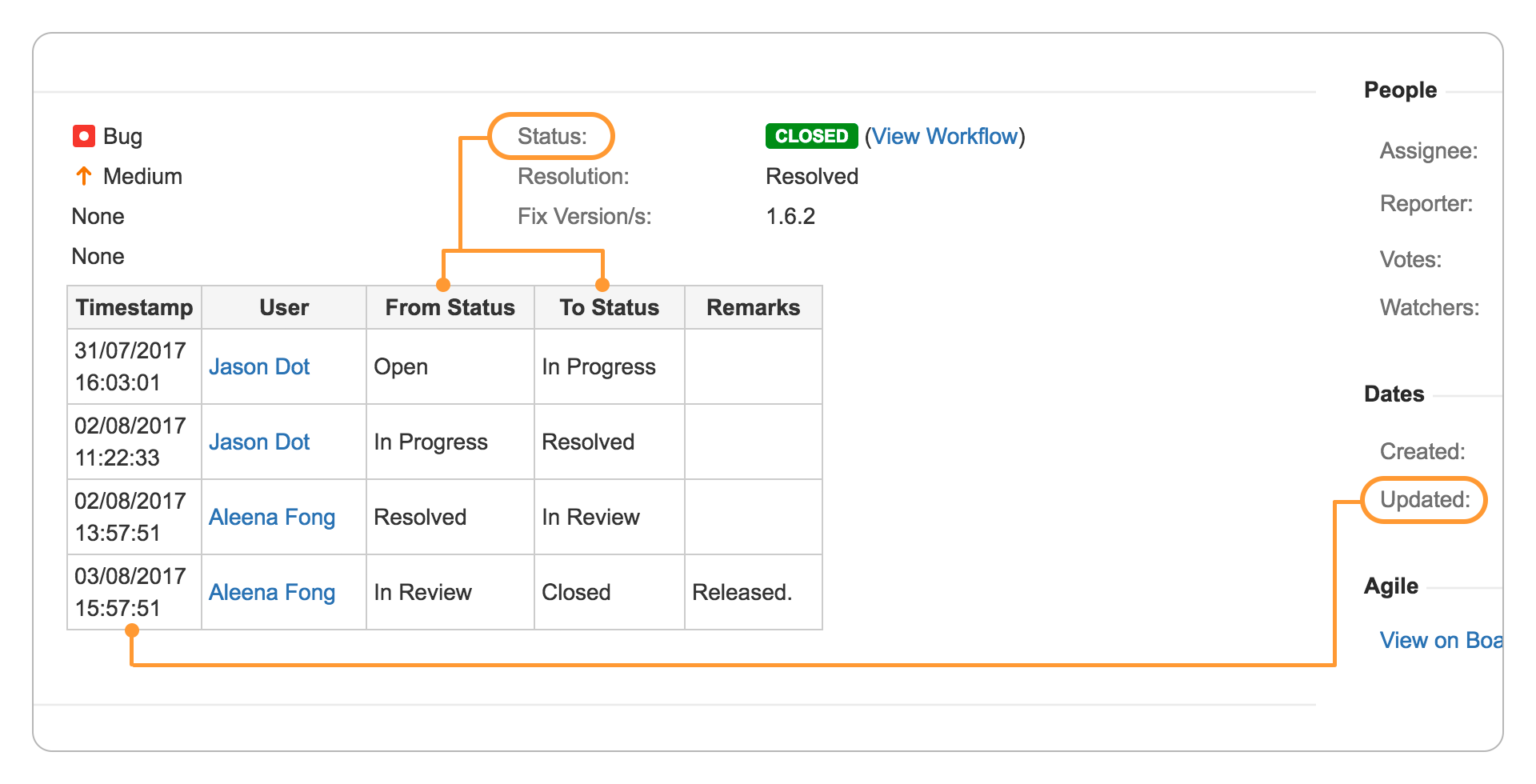
The Table Custom Fields plugin displays associated fields in a read-only table.
Updates to the table custom fields are done via workflow post functions providing a customisable audit trail.
Possible Use Cases
-
Approval Tracking
-
Easy tracking instead of having to reconstruct the changes from the Change History tab.
-
-
Audit Tracking
-
Serves as an audit log as it is non-editable and the values populated automatically via workflow post functions.
-
-
Baseline Tracking
-
Capture snapshots of important fields at various state of the lifecycle.
-
-
Grouping of related fields
-
A great tool for consolidating since Jira only allows 1 custom field to be displayed per row and the date and user fields are placed in separate panels.
-
Features
Bird's eye view of associated fields
Associated fields can be consolidated into a single table with configurable columns.
Segregate important details like approvals into a Table custom field for convenient viewing.
Automate updates with workflow post functions
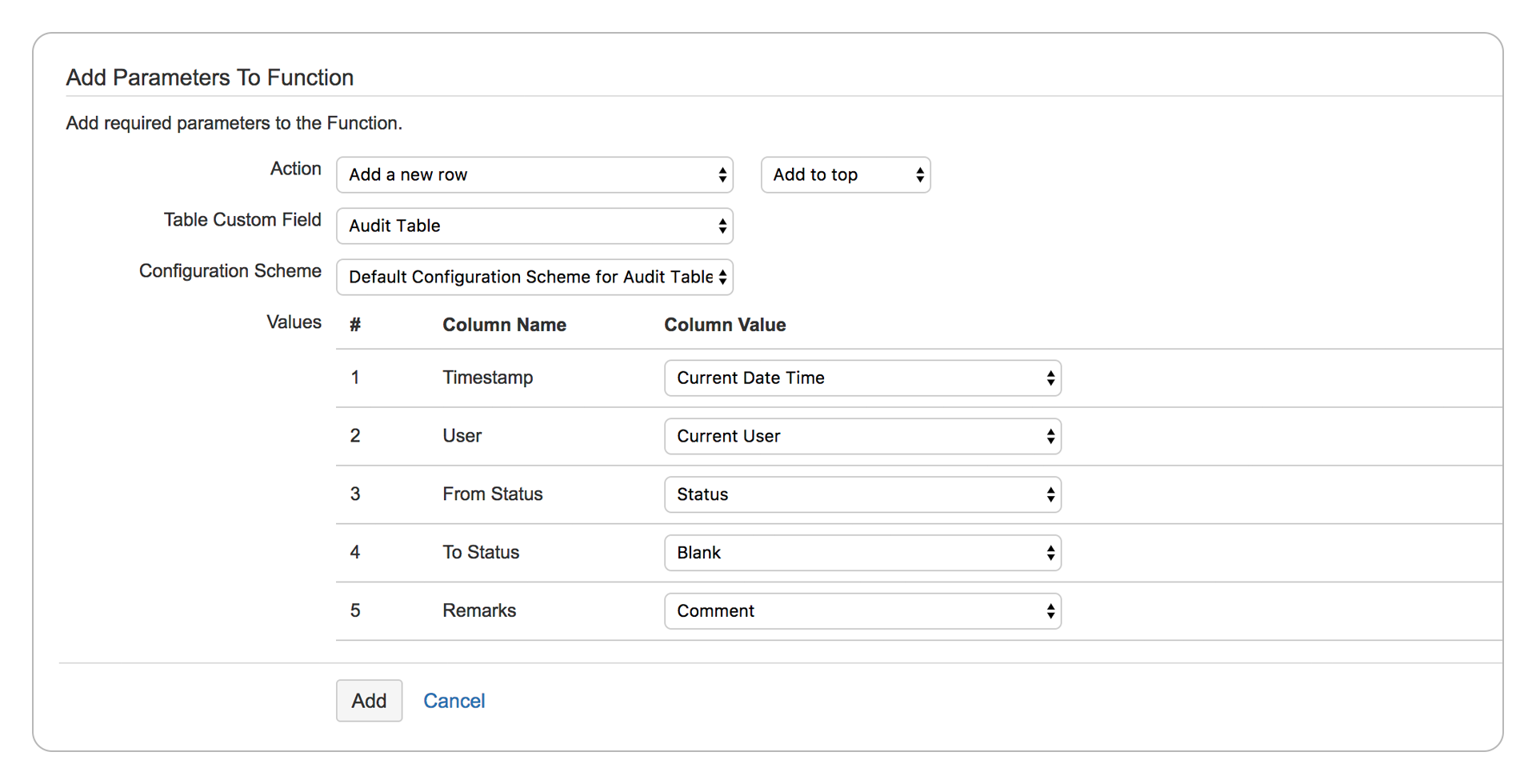
Post functions are available to add/update/delete rows or clear the table entirely.
Choose to update the top/bottom row with values from system fields, custom fields, current date time or current user.
User Guides