.png)
Benefit of Forge
The app has been migrated from Atlassian Connect Express (ACE) to Atlassian Forge.
-
Improved security through Atlassian’s built-in security, privacy, and compliance standards
-
Optimized performance and scalability, ensuring a more stable experience as usage grows
-
Full alignment with Atlassian Cloud, keeping the app compatible with Atlassian’s future platform direction
Actions Required
Manual Update Required (by Jira Cloud Admins)
Unlike previous releases, where updates were automatically rolled out, major releases, including Forge modules, require Jira admins to trigger the update manually.
To update:
-
Navigate to admin.atlassian.com
-
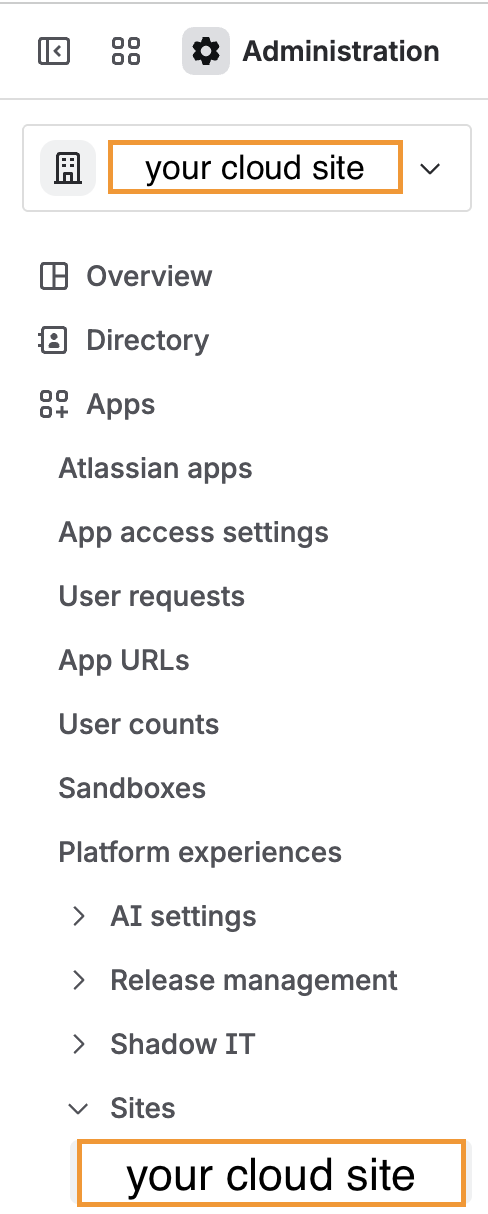
Click on Apps and click on Sites to find your Cloud site
-
Click on your cloud site
-
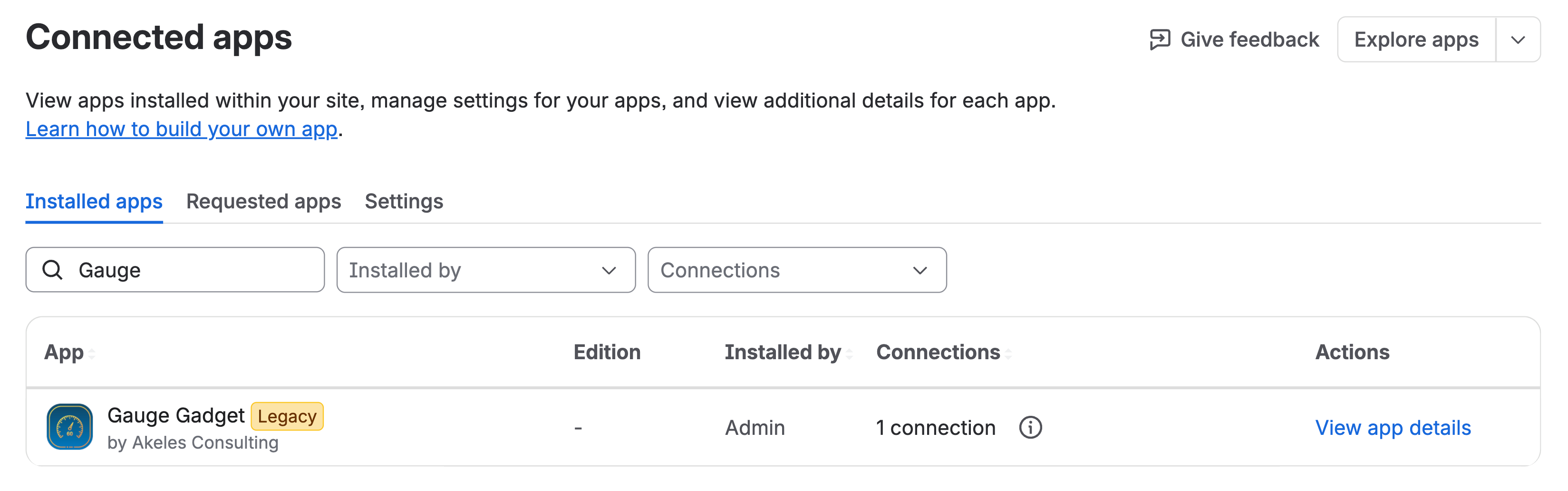
Go to Connected Apps
-
Find Gauge Gadget
-
Click on View app details
-
Click Update
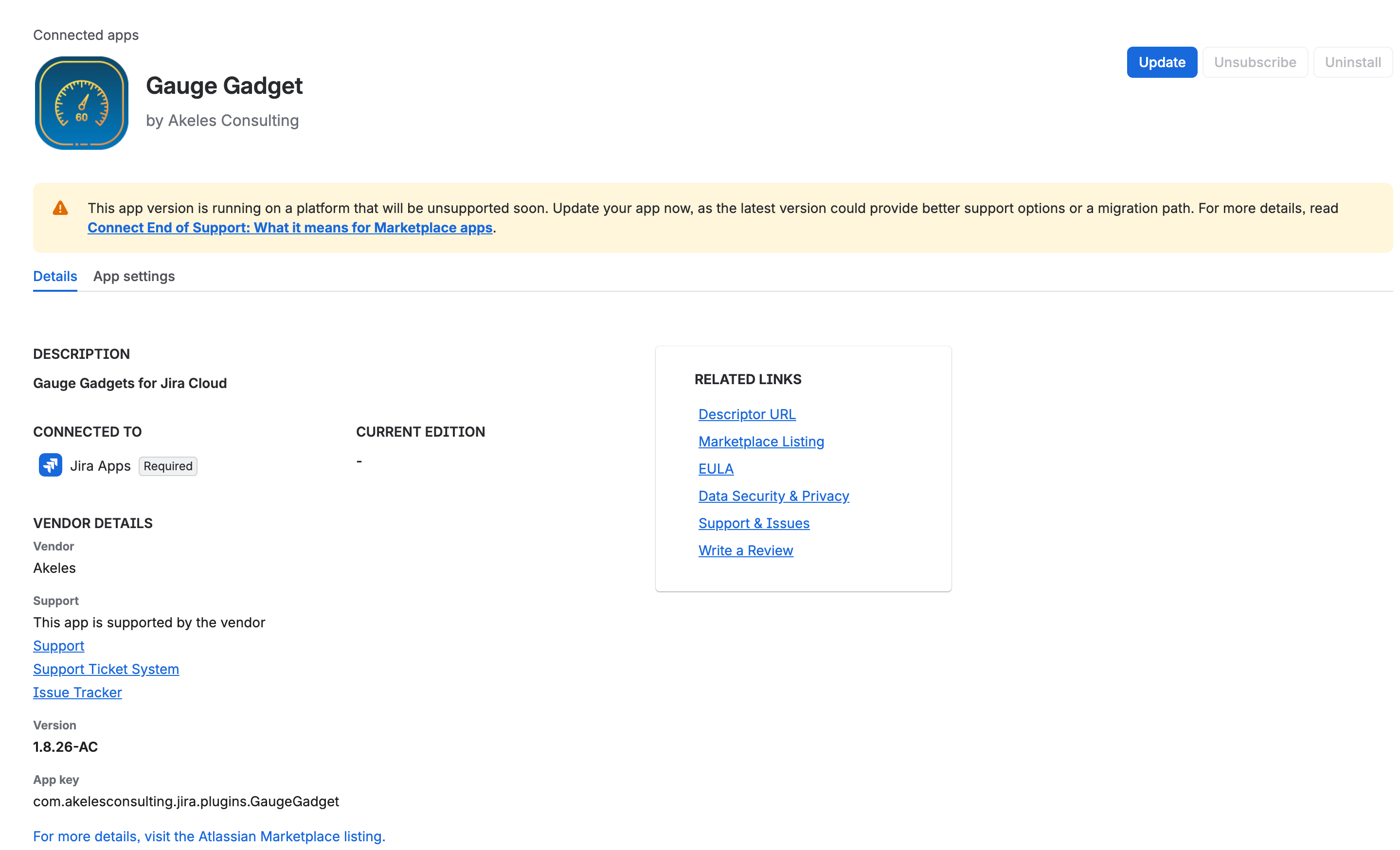
For the detailed steps, please refer to Upgrading the app to Atlassian Forge version.
Configuration of gadgets
The app functionality remains unchanged, with all settings preserved.
No action is required from users
Improvements
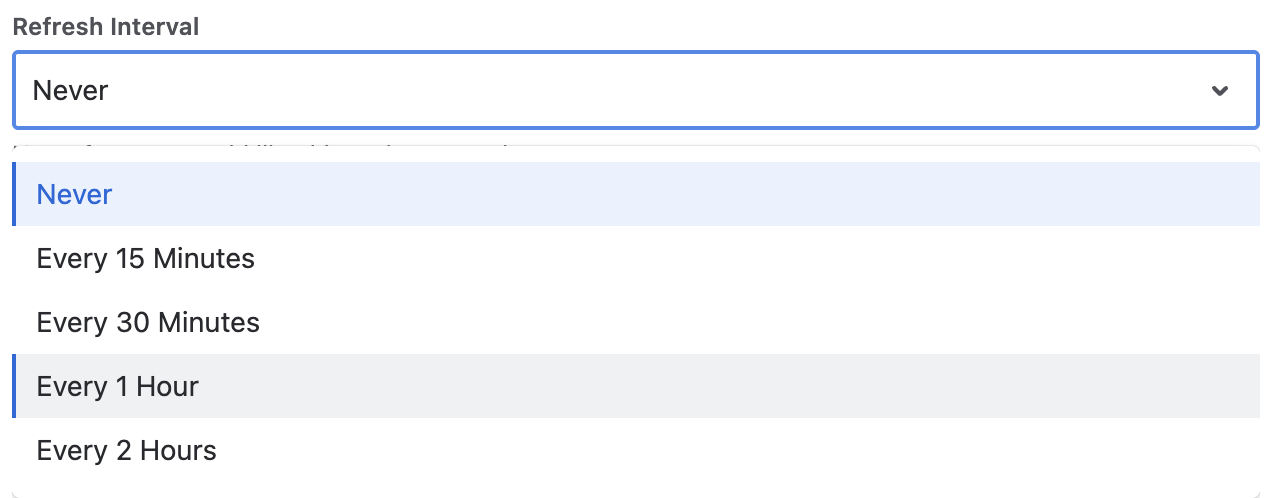
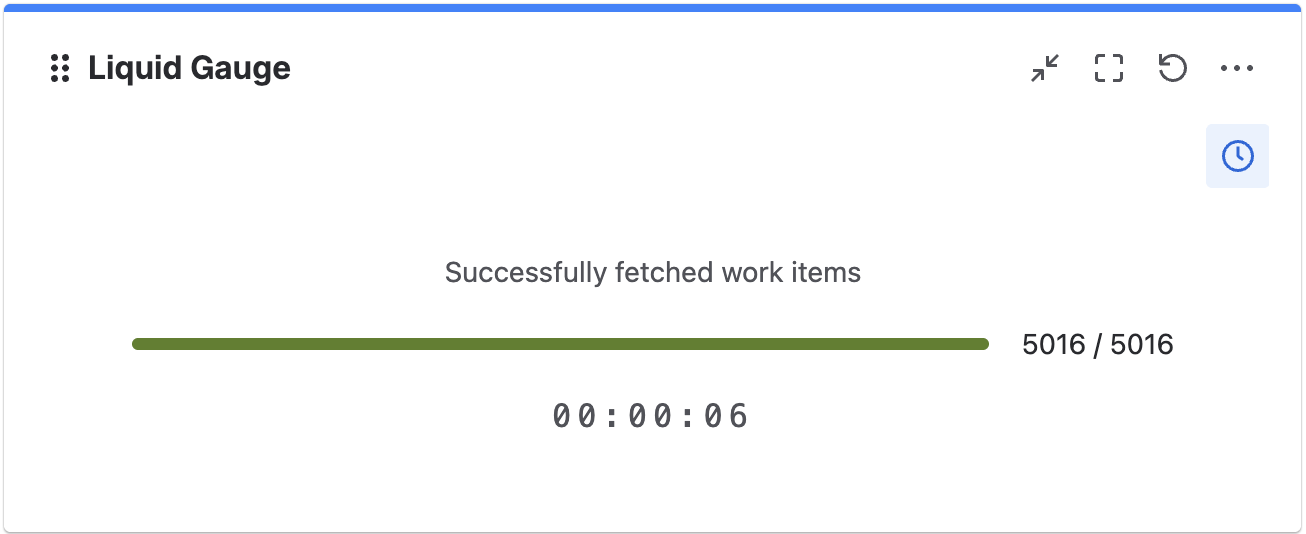
While we were migrating to Forge, we have added refresh options for users and a progress bar to show the loading of gadget
-
Added a refresh option to all gadgets:
-
Liquid Gauge
-
Horseshoe Gauge
-
Counter Gauge
-
Aggregate Gauge
-
|
Refresh Gadget Configuration |
|
|---|
-
Progress bar to track fetching of work items
|
Progress Bar |
|
|---|