.png)
Background
By default, Dashboard Assistant sends 2 email notifications in a review cycle
-
The review for the previous cycle has been closed
-
The review for the current cycle has started
The 1st notification is optional.
You can finetune the notification settings depending on your preference.
Steps
-
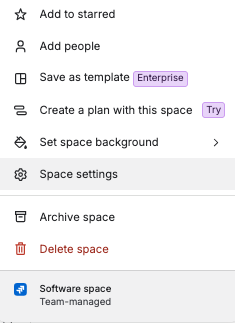
Go to Space Settings
-
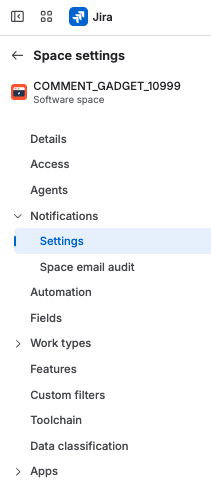
Select Notifications > Settings
-
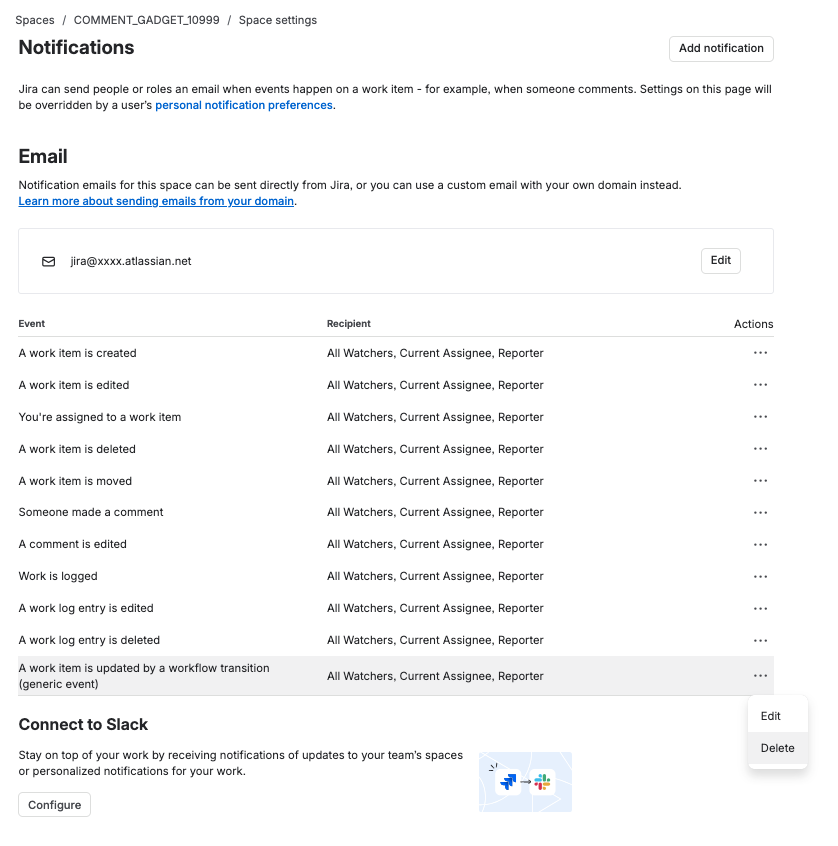
Edit or Delete the events according to your desired preference
Requirements
The Someone made a comment event is necessary for the team members to receive the alerts to do the review. It should not be removed.
