.png)
Problem
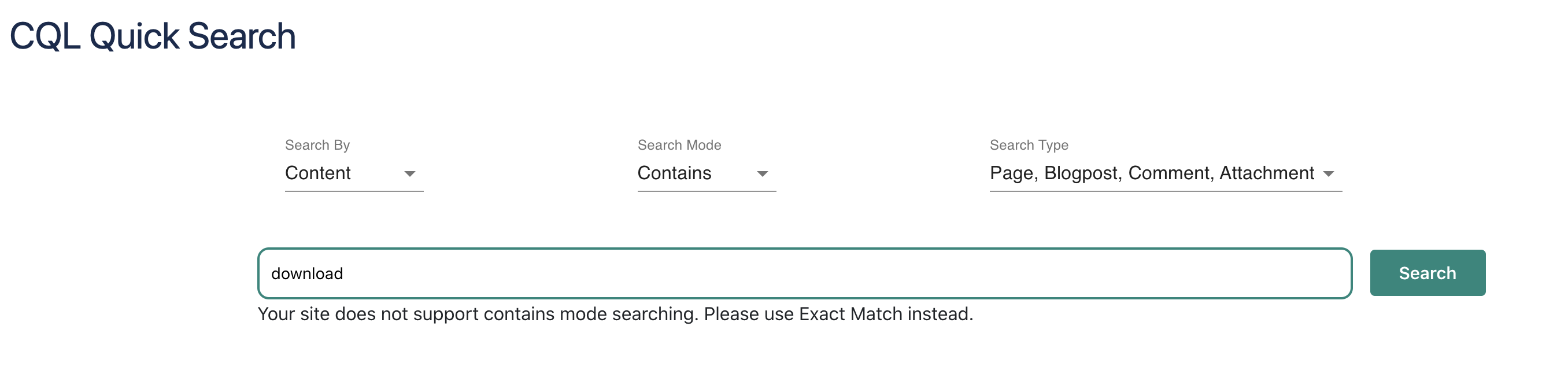
When you choose Content with Contains in CQL Quick Search and execute a search, no results were displayed and an error message appeared below the search bar.
Solution
-
Change the Search Mode to Exact Match
-
Use the fuzzy search by adding a tilde symbol “~” at the end of every single word.
-
For example, instead of searching the word download, you should type download~
-
Root Cause
We suspect it is related to https://jira.atlassian.com/browse/CONFCLOUD-72063