.png)
Introduction
Unlike Data Center apps, the Entitlement Number for Atlassian Cloud apps are not displayed directly.
You can refer to this guide on how to locate the info.
About the Entitlement Number
The Entitlement Number is a unique license reference for a specific Atlassian Marketplace app subscription on a Cloud site. It is used by Atlassian and Marketplace vendors to identify the customer’s app license when handling support, billing, renewals, migrations, or entitlement-related questions.
The Entitlement Number for Atlassian Marketplace cloud apps is essentially the unique license identifier for a specific app subscription on a specific cloud site.
In practice, it is used for:
-
Identifying the exact app license/installation
-
Distinguishes your app subscription on a particular Jira/Confluence Cloud site from all others.
-
-
Billing and subscription troubleshooting
-
Lets Atlassian and vendors check:
-
whether the subscription is active or cancelled
-
billing/renewal history and tier (user count, edition)
-
trial vs paid status and start/end dates
-
-
-
Support and case tracking with vendors
-
When you raise a support ticket, vendors use the Entitlement Number to:
-
quickly locate your customer record and license
-
confirm that you’re entitled to support
-
link your ticket to the right app instance and site
-
-
-
Migrations, quotes, and commercial operations
-
May be requested when:
-
migrating from one site/tenant to another
-
preparing renewal quotes or commercial offers
-
reconciling multiple app subscriptions across sites
-
-
-
Audit and compliance
-
Acts as a stable reference in internal records to prove which app license was active in a given period.
-
-
Not a secret, but share selectively
-
It’s not a password or API token.
-
Still, you should normally share it only with Atlassian or the Marketplace vendor/support when requested for licensing or support purposes, not publish it broadly.
-
Steps to find the Entitlement Number
Only the Site Admin can access the info
-
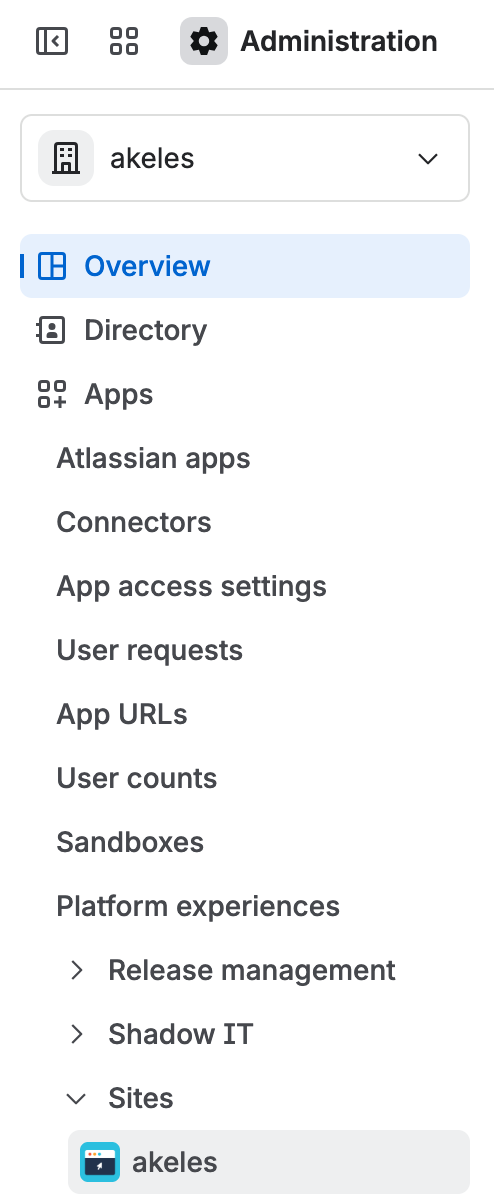
Go to admin.atlassian.com.
-
Select your organization (if you have more than one).
-
In the left sidebar, go to Apps → Sites, then select your site.
-
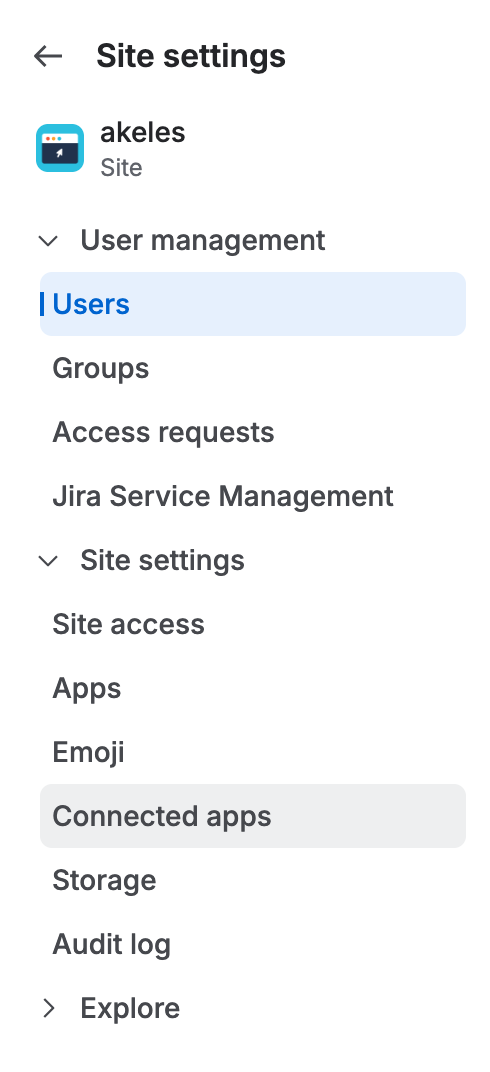
In the site sidebar, click Connected apps.
-
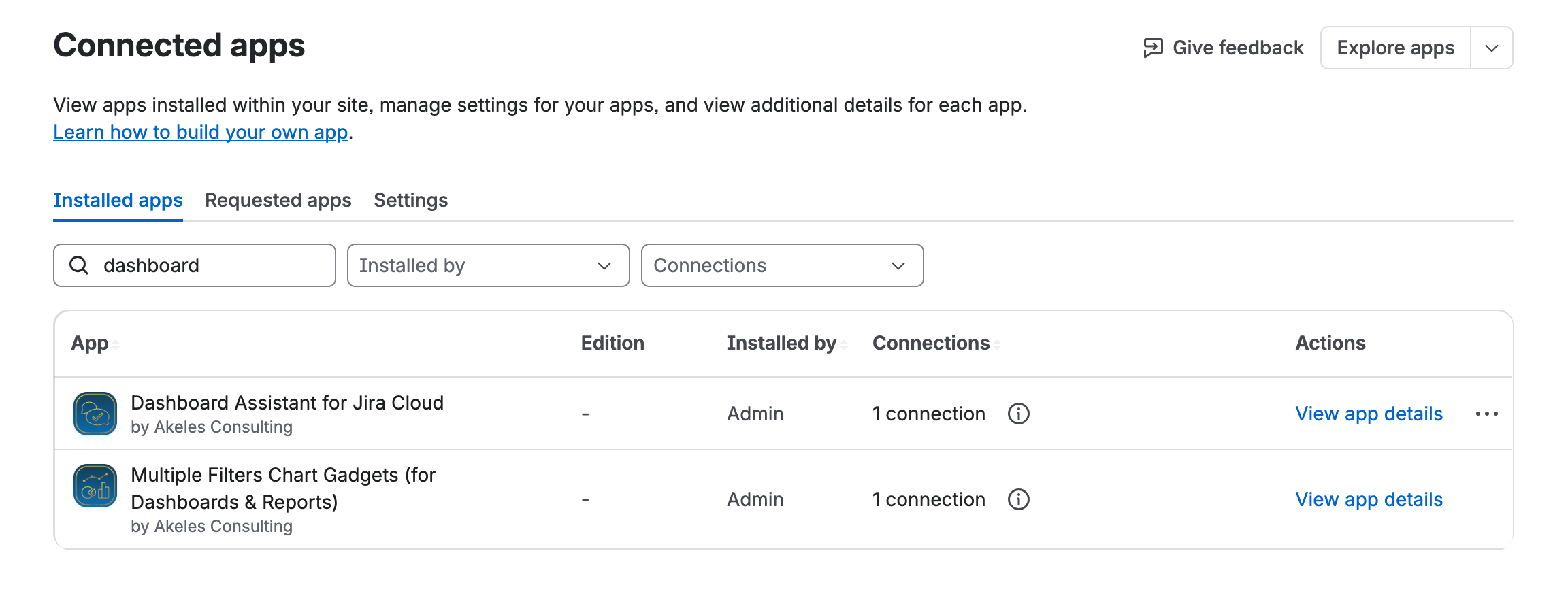
Find and click View app details for the app.
-
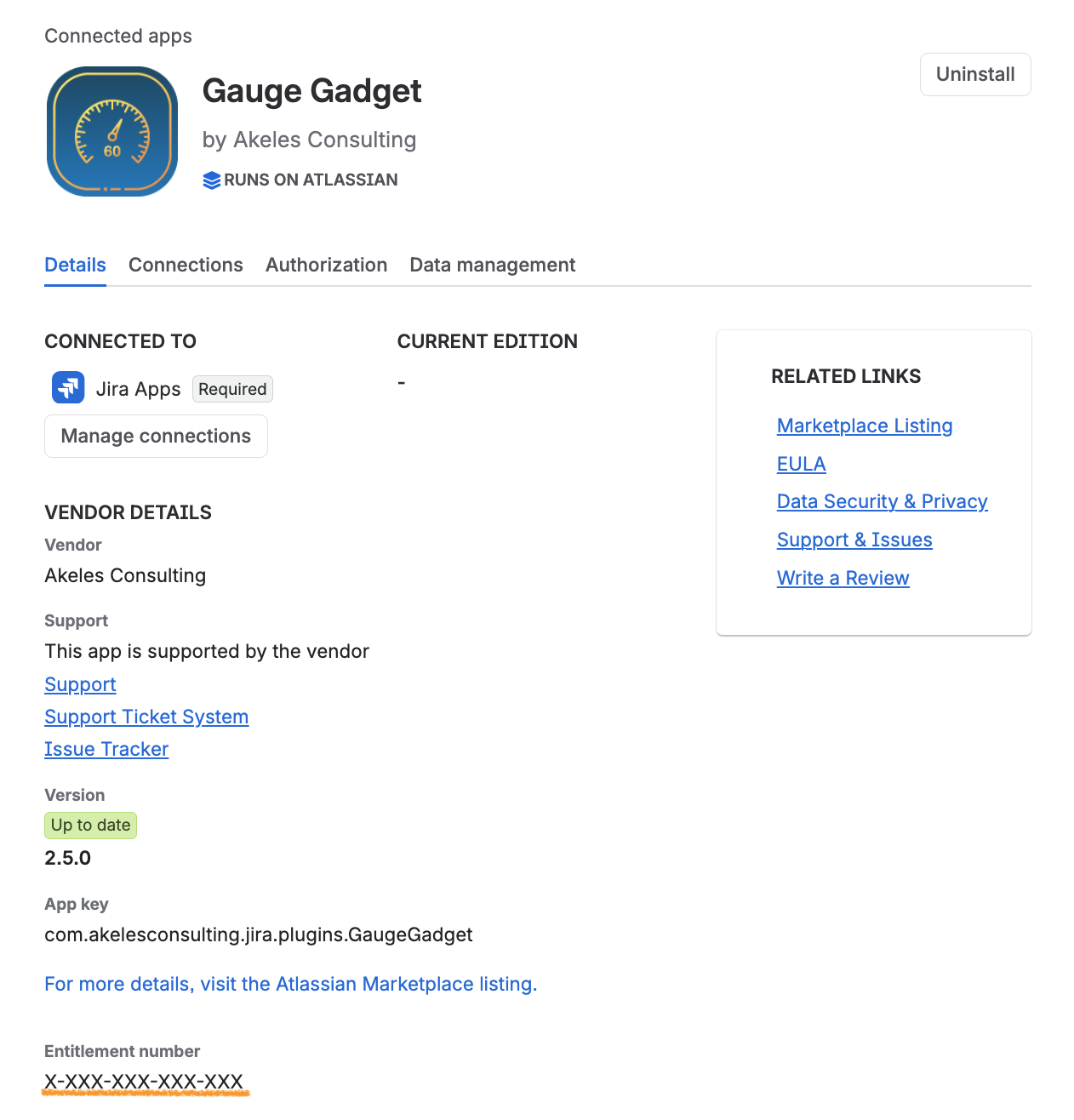
For a paid app, the information is directly available on the page
-
For a free app, there are additional steps
-
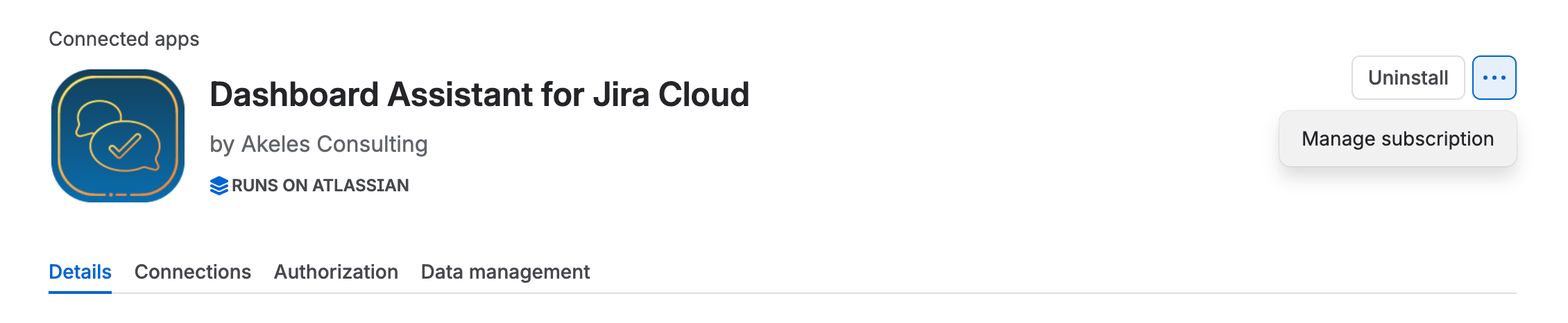
Click on the … and select Manage subscription
-
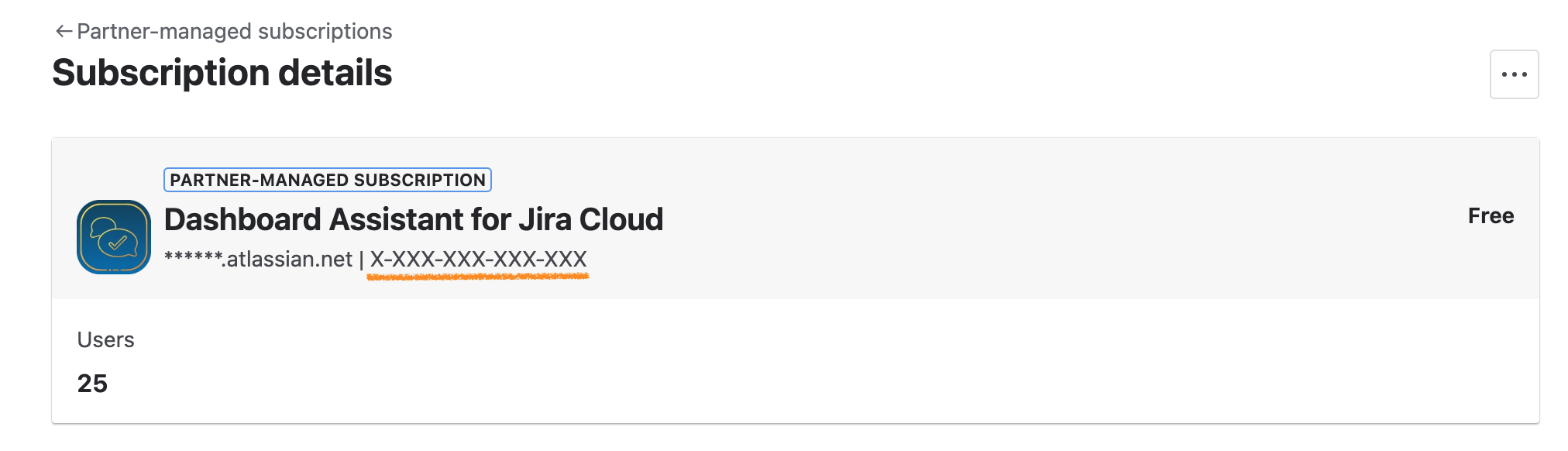
The Entitlement Number is displayed together with your Site URL
-